What's included
- 150 reminders / month
- Google Calendar integration
- Online booking page
- One calendar
- Email support
Every client who forgets costs you a slot you can't refill. RecordarApp sends each client a WhatsApp reminder before their appointment and shows you who has confirmed.
Connect Google Calendar, add appointments in the app, or let clients book online. Nothing for your clients to install.
Start free trialWhy use RecordarApp?
Send appointment reminders automatically on WhatsApp. Clients confirm or cancel with one tap, so you can refill the slot instead of finding out at the door, however you manage your appointments.
Reach clients on WhatsApp
The reminder lands in the app your clients already open every day, with Confirm and Cancel buttons when you want an answer.
Reduce missed appointments
A missed appointment is an hour you don't get back. A reminder the day before gives clients time to show up or free the slot for someone else.
Save time every day
Set the timing and message once. RecordarApp sends every reminder from then on, so you stop typing "see you tomorrow at 3" between clients.
Connect Google Calendar, add appointments in the app, or let clients book online. RecordarApp sends the reminders and tracks confirmations.No need to message each client yourself.
Add your appointments
Connect Google Calendar
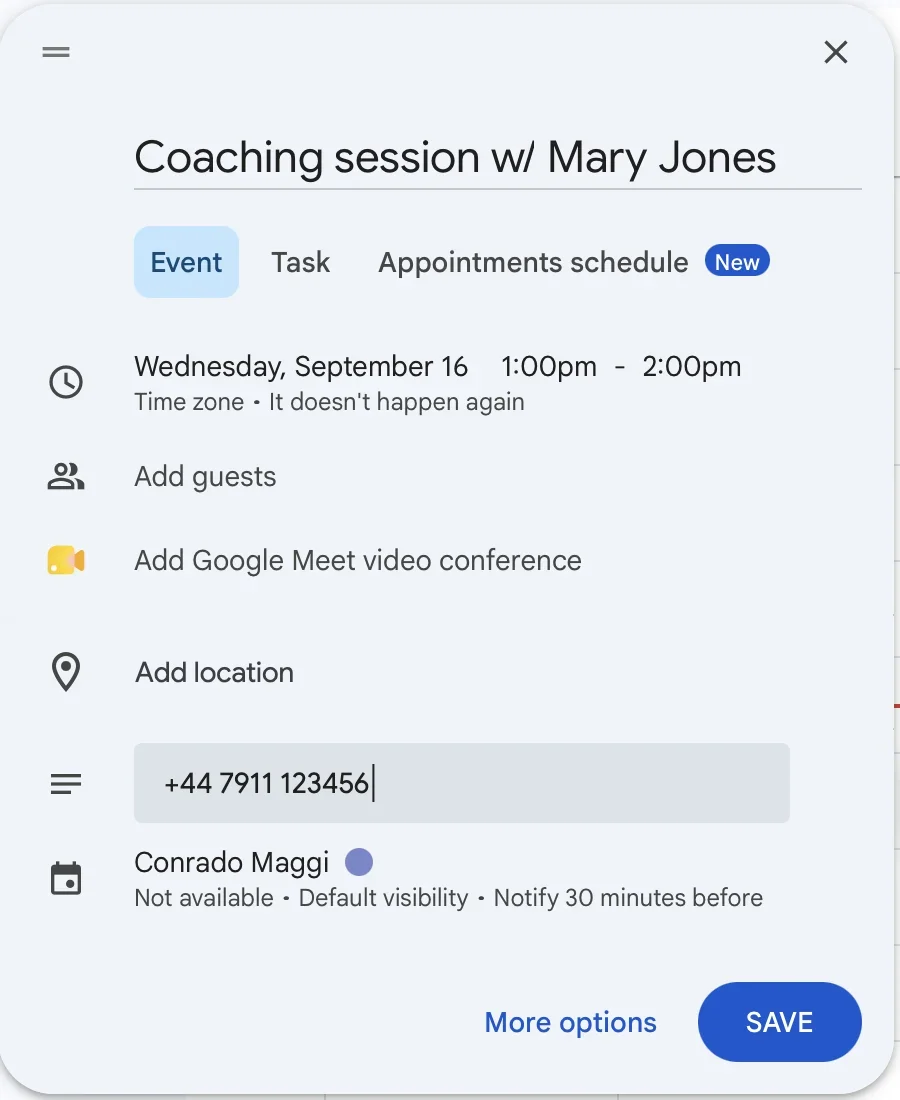
Sync your appointments automatically. Add the client's phone number to the event title or description.
Create appointments in the app
Taking a booking over the phone or in person? Add it directly in RecordarApp in a few seconds.
Let clients book online
Share your booking page. Clients choose an available date and time, and the appointment appears in your schedule automatically. Explore online booking
Create reminders from WhatsApp Web
Already chatting with a client? The Chrome extension lets you create a reminder from the conversation. The store listing currently uses the RicordamiApp name. See the extension guide
Product shown in Italian.
Automatic WhatsApp reminders
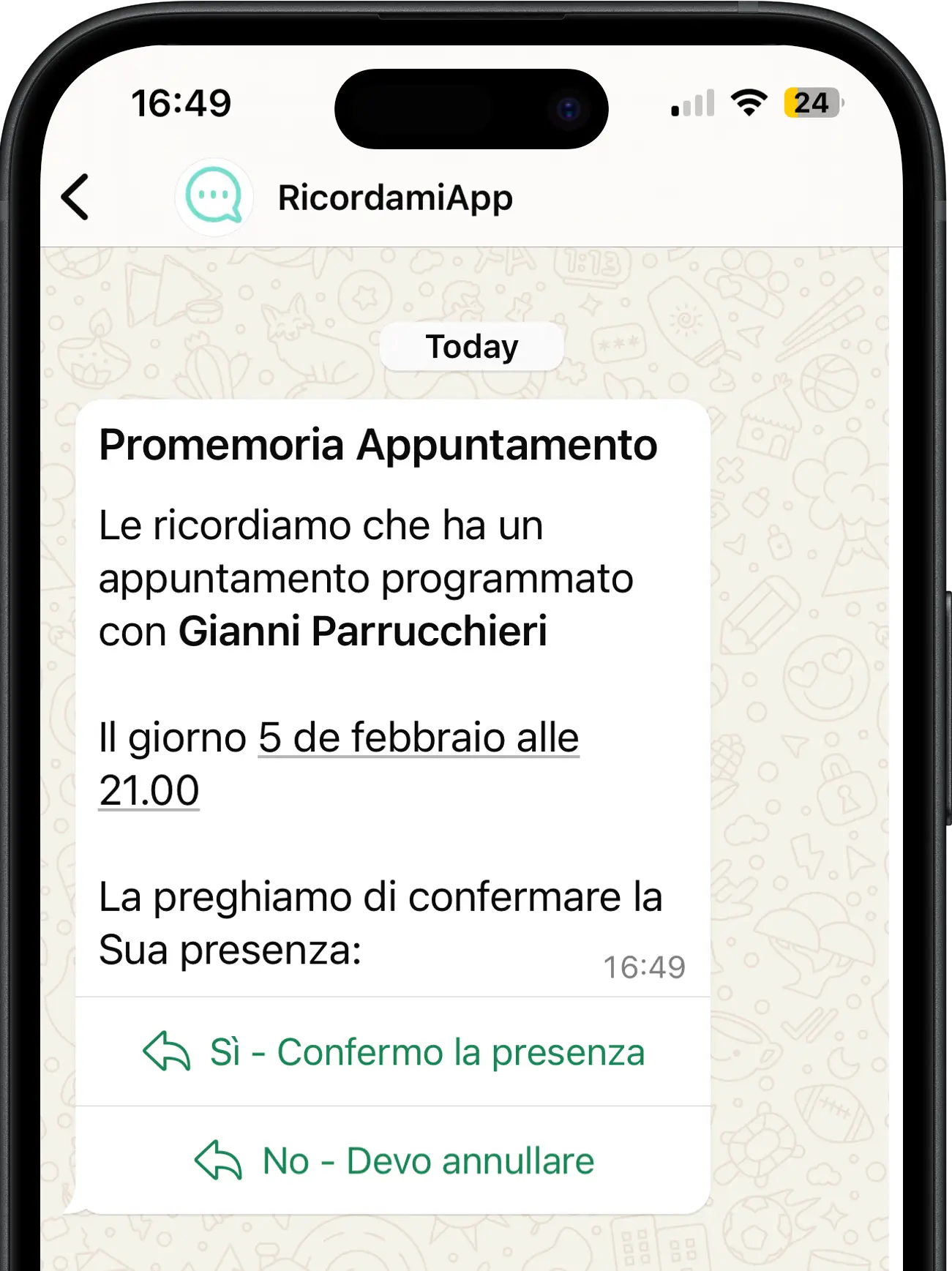
At the time you choose, such as 24 hours or 2 hours before the appointment, RecordarApp sends a WhatsApp message to remind your client or ask them to confirm.
Send a simple reminder, such as “See you tomorrow at 3 pm”, or request confirmation with Confirm and Cancel buttons beneath the message.
Uses the official WhatsApp Business API
Keep track of replies
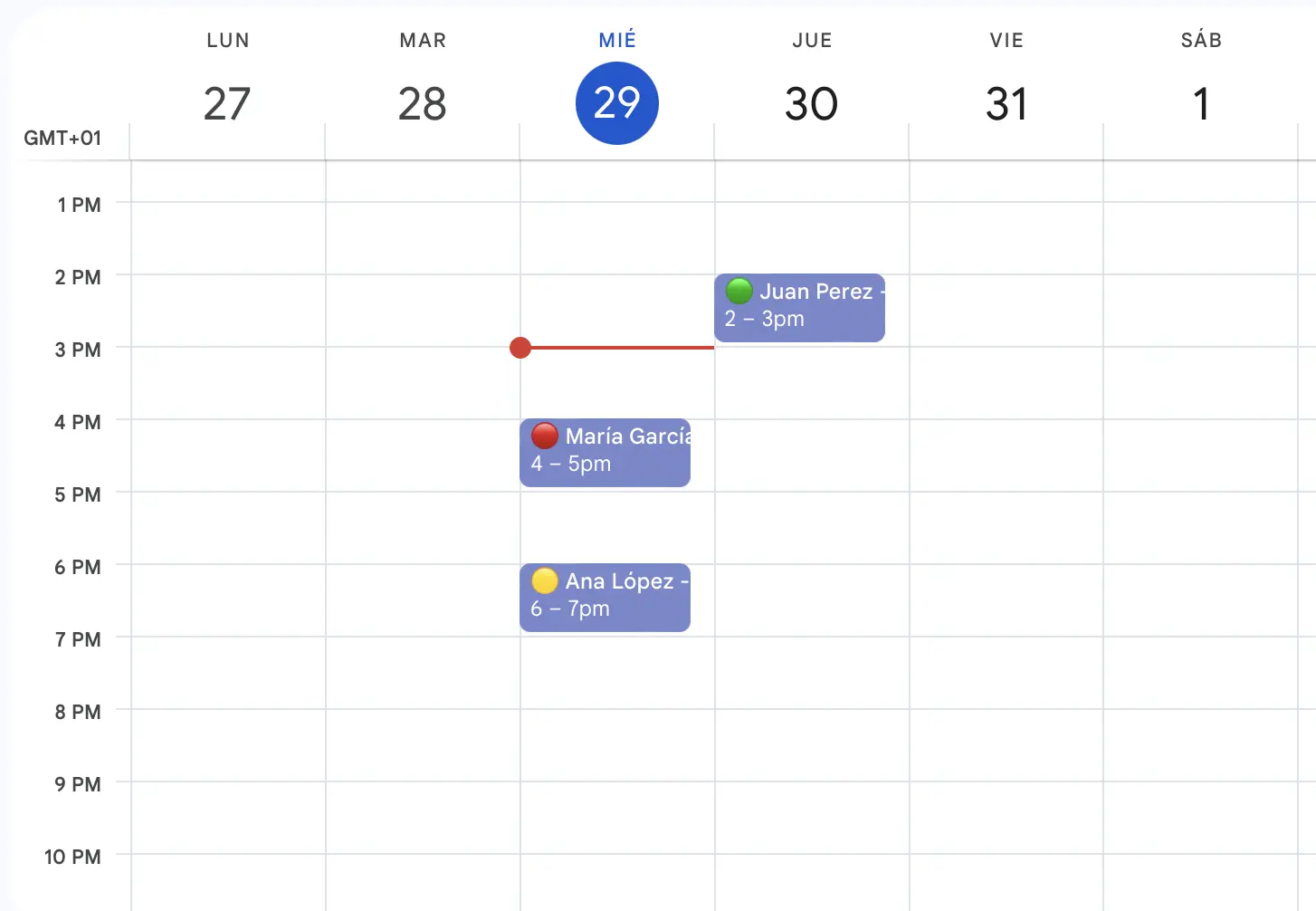
When you request confirmation, RecordarApp updates the appointment status based on your client's response.
Reminder sent
Appointment confirmed
Appointment cancelled
Product shown in Italian.
Pick a plan by how many reminders you send
Try RecordarApp free for 14 days. No credit card required.
Prices in USD. Annual billing includes two months free.
All plans include in-app appointments and online booking. Secure payments through Stripe.
Reminder allowances renew monthly on both billing options. Annual prices are the total billed once per year.
Based on 3 minutes per manual reminder and an 8-hour working day. Your actual time saved may differ.
Estimated time saved: 15 hours per month
That's about 1.9 working days 💼
More than 1,000 reminders a month? Need an integration with your management software? Contact us for a quote that fits your needs.
Busier month than usual? Buy extra reminders without changing plans. One payment, no expiry date.
For active subscribers. Credits are used automatically once you pass your plan's monthly allowance.
Do I need a credit card to try RecordarApp?
No. Start your 14-day free trial without a credit card. If you want to continue afterwards, choose a subscription. Your account shows your trial reminder allowance.
Which payment methods do you accept?
Pay monthly or annually by card, Apple Pay or Google Pay. Euro subscriptions also support SEPA Direct Debit. Stripe processes all payments securely.
Apple Pay and Google Pay appear when available on your device and browser. A SEPA payment can take a few business days to confirm.
Can I customise the reminders?
Yes. Choose when to send each reminder and edit its message. See our guide to setting up reminders.
Do I need Google Calendar to use RecordarApp?
No. Create and manage appointments directly in RecordarApp. If you already use Google Calendar, connect it for automatic syncing. Team and Business plans also let you import appointments from Excel or CSV.
How does the booking page work?
Every plan includes an online booking page with your logo and colours. Share the link so clients can choose an available time. The appointment appears in your schedule and in Google Calendar, if connected, and the WhatsApp reminder goes out automatically. Clients can reschedule or cancel using the link they receive.
What happens when a client replies?
Confirmations and cancellations update the appointment status automatically. Other replies are forwarded by email with the client's message and any attachments, so you can follow up.
What if a client doesn't use WhatsApp?
When a WhatsApp reminder cannot be delivered, SMS fallback can send it as a text message. Contact us to check delivery availability in your country.
Which number sends the reminders?
Reminders come from a dedicated WhatsApp number provided by RecordarApp. You don't need to use your personal number or set up another WhatsApp account.
How are reminders counted?
Each sent message counts as one reminder. Two alerts for one appointment use two reminders. A group event with five recipients uses one reminder per recipient, and follow-ups also count. SMS fallback uses the same reminder rather than an extra credit.
Can I change my plan or cancel?
Yes. Change your plan from your account. Upgrades take effect immediately; downgrades start at the next billing cycle. If you cancel, your subscription stays active until the end of the monthly or annual period you have paid for.
Are my clients' details secure?
Data is stored in Europe with GDPR safeguards. Read about data protection and payment security on our security page.
How can I contact RecordarApp?
Email [email protected] or contact our support team.