Manage bookings, reminders, and confirmations in one place
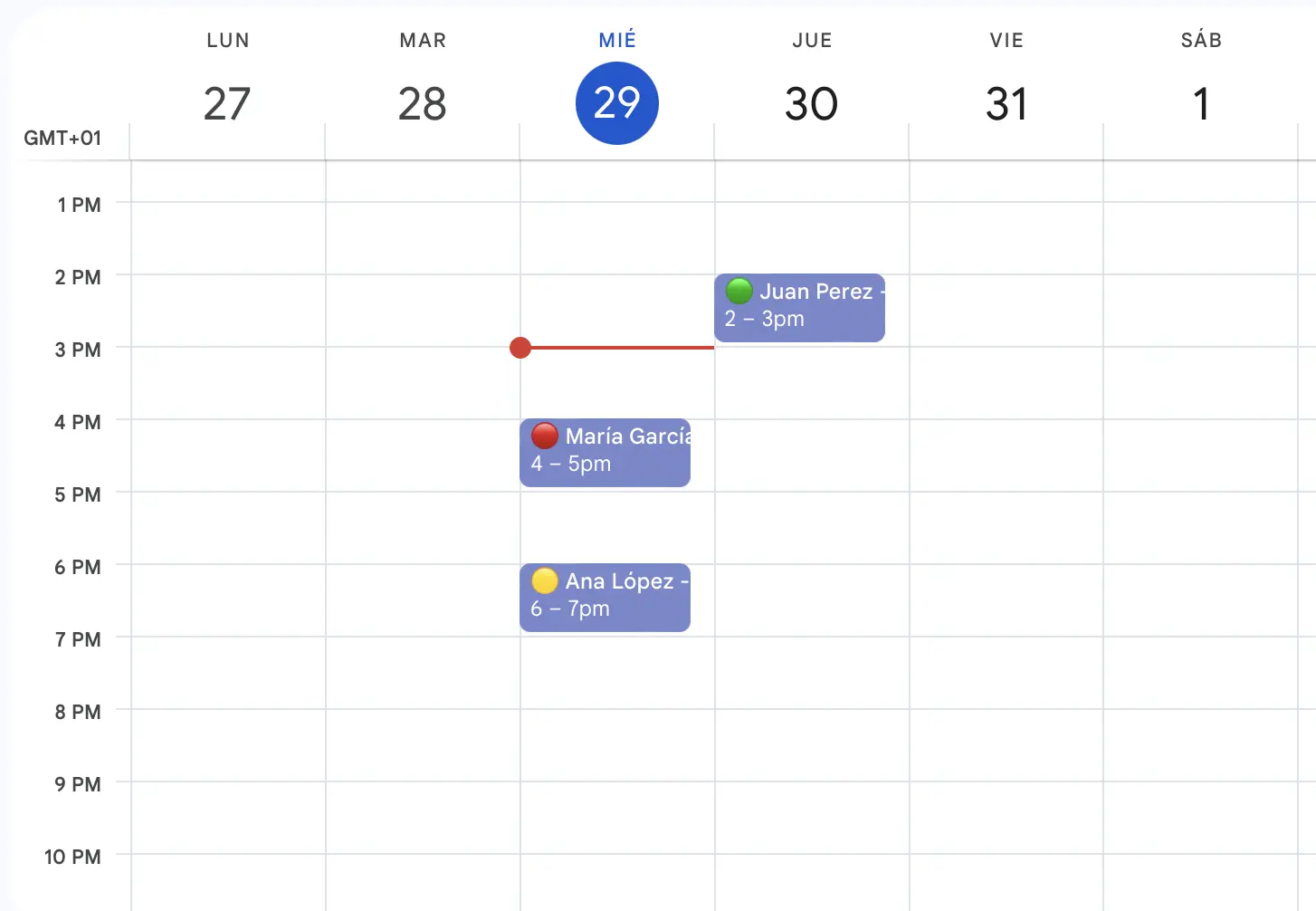
Bring appointments in from Google Calendar, the app or your booking page. RecordarApp sends the WhatsApp reminder, records the reply, and follows up after the visit.
Google Calendar
Keep your calendar. Add the reminders.
There is nothing new to learn: RecordarApp reads the Google Calendar you already open every morning.
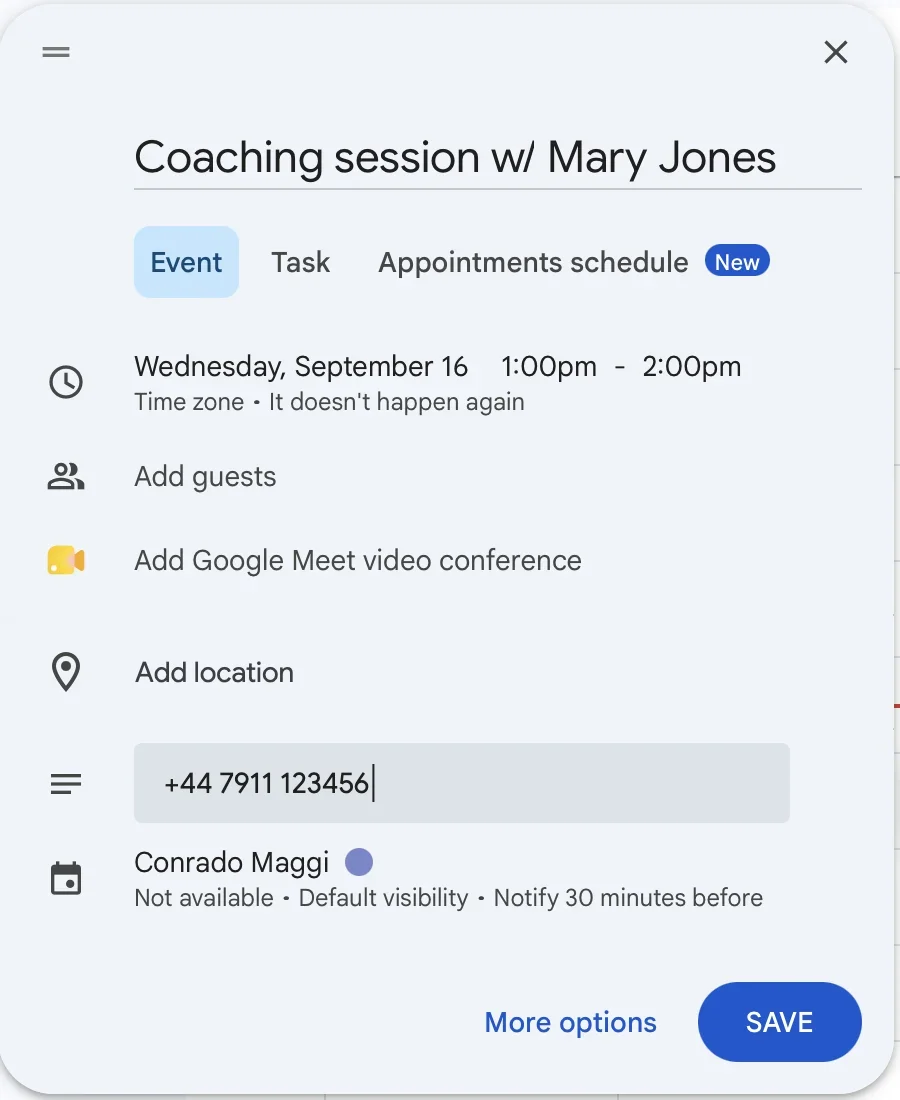
Put the client's phone number in the event and you're done. You never enter the same appointment twice.
No Google Calendar? Let clients book online or add appointments in the app instead.
Works with Google Calendar
Online booking
Let clients book themselves
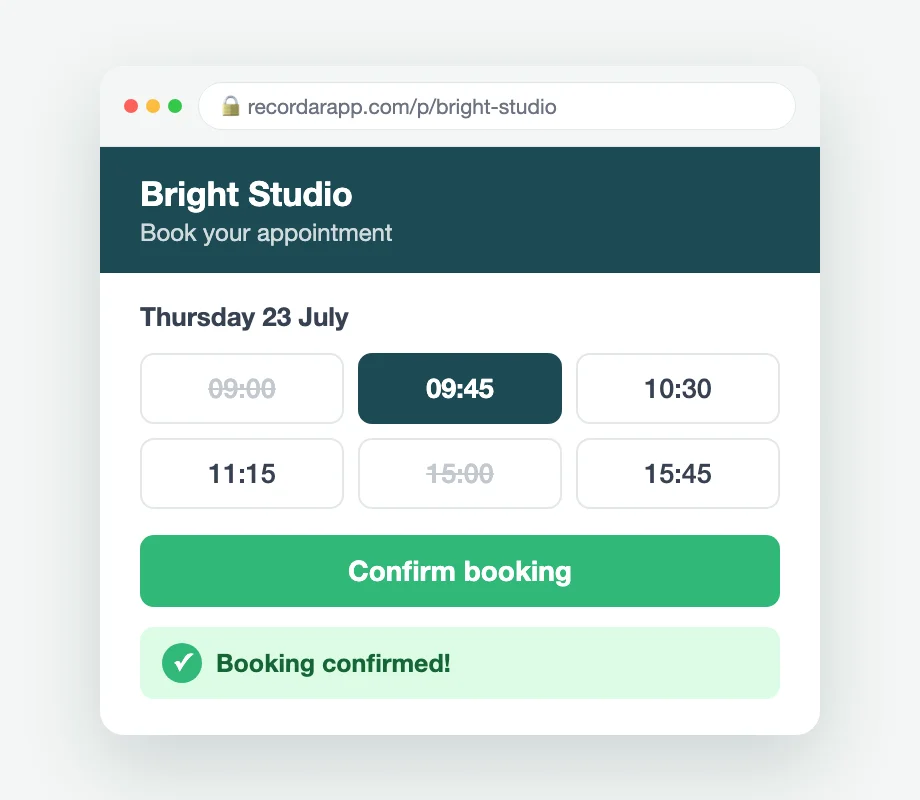
Share a page with your logo and colours. Clients pick a service and a free time, the appointment lands in your schedule, and the usual reminder goes out before it.
Included in every plan. If a client cancels, the slot opens back up on its own.
Explore online bookingIn-app appointments
No calendar? Add the appointment right here.
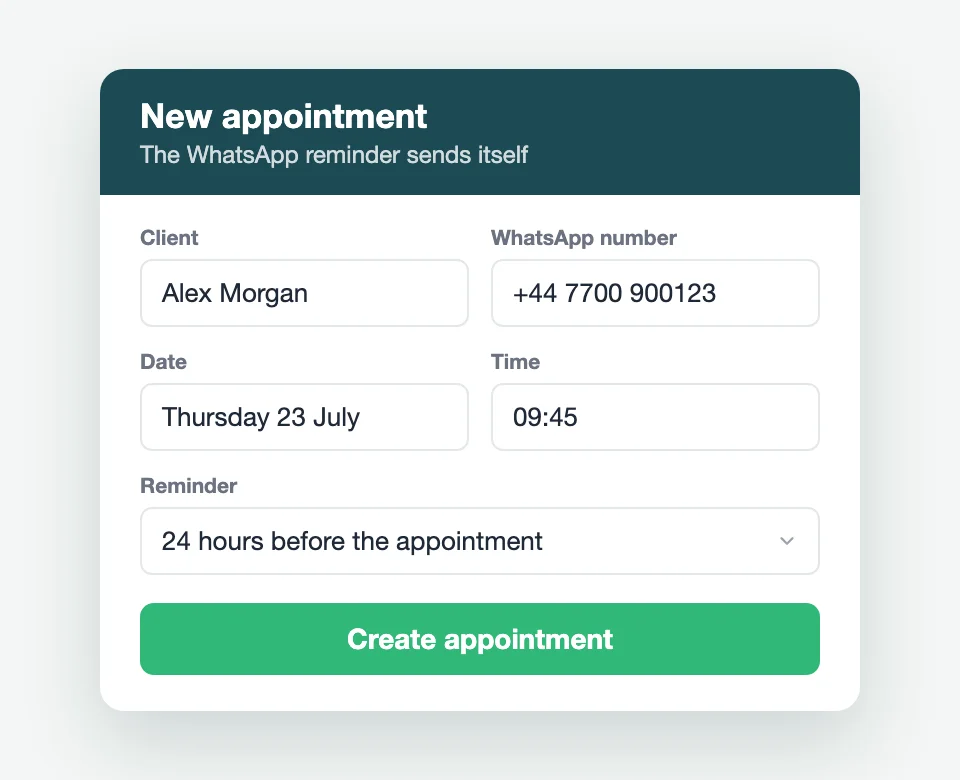
You don't need Google Calendar to use RecordarApp. Enter the client's name, phone, date and time and the reminder is scheduled.
Included in every plan, and the quickest way to send your first reminder.
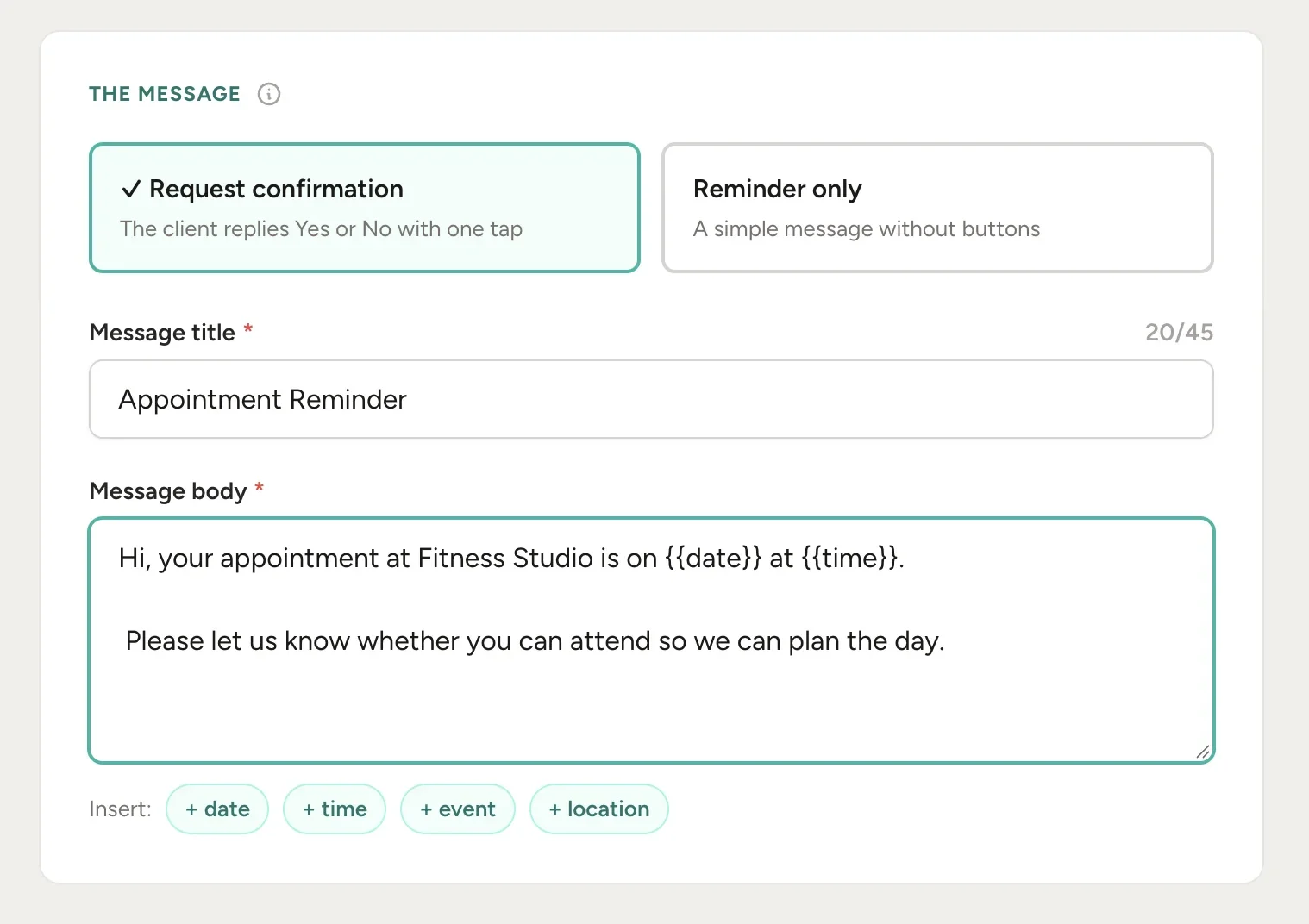
Reminders or confirmations
Send a reminder or ask clients to confirm
A plain reminder tells the client when to show up. A confirmation request adds Confirm and Cancel buttons, and their answer lands next to the appointment.
Use plain reminders for regulars and quick services. Ask for confirmation on the long or expensive bookings where an empty slot hurts most.
Your words
Messages that sound like your business
Add the practical details clients need before they arrive: where to park, what to bring, a deposit note, or a warm greeting.
Preview the finished message before the first one goes out.
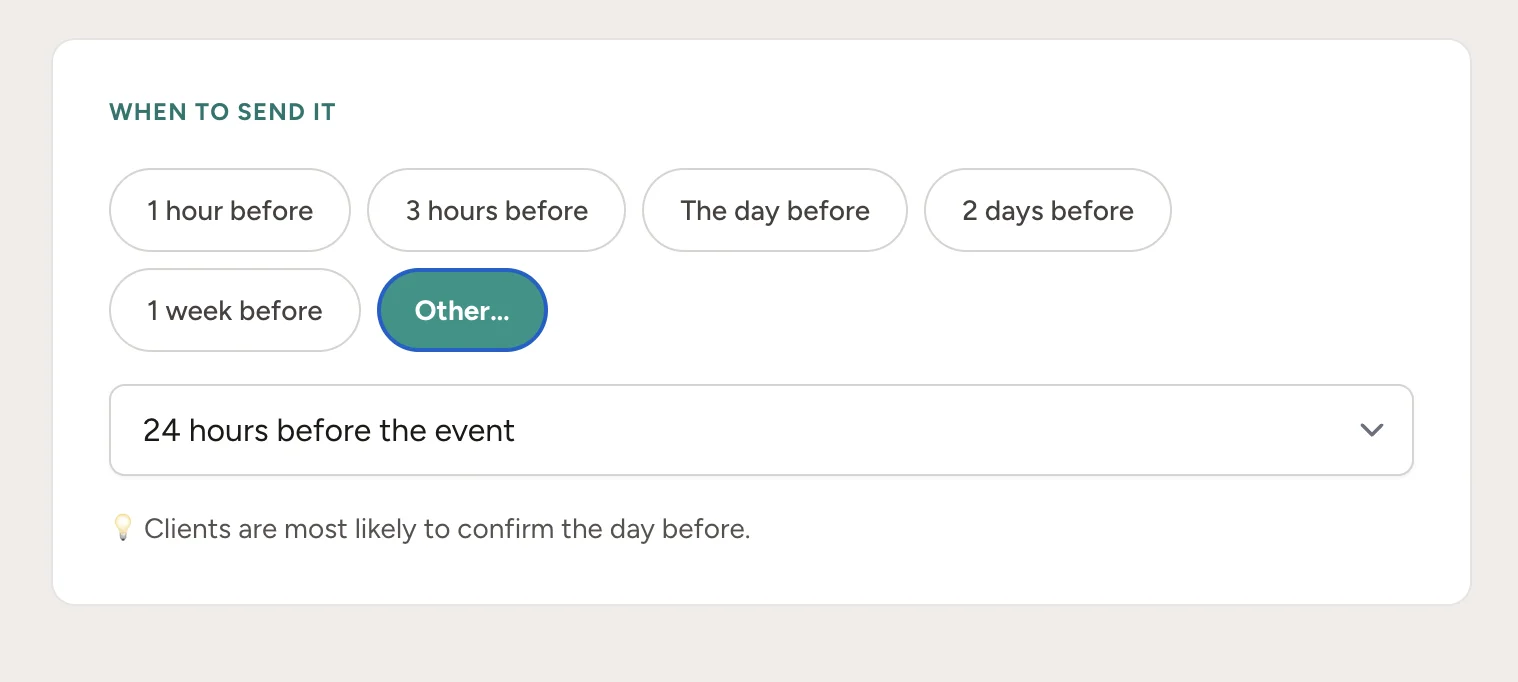
Timing
Send at the moment that works for each service
Pick when each reminder goes out: 48 hours ahead for treatments that need prep, 24 hours for routine visits, 2 hours for quick ones.
Different lead times for different appointment types. You know your clients.
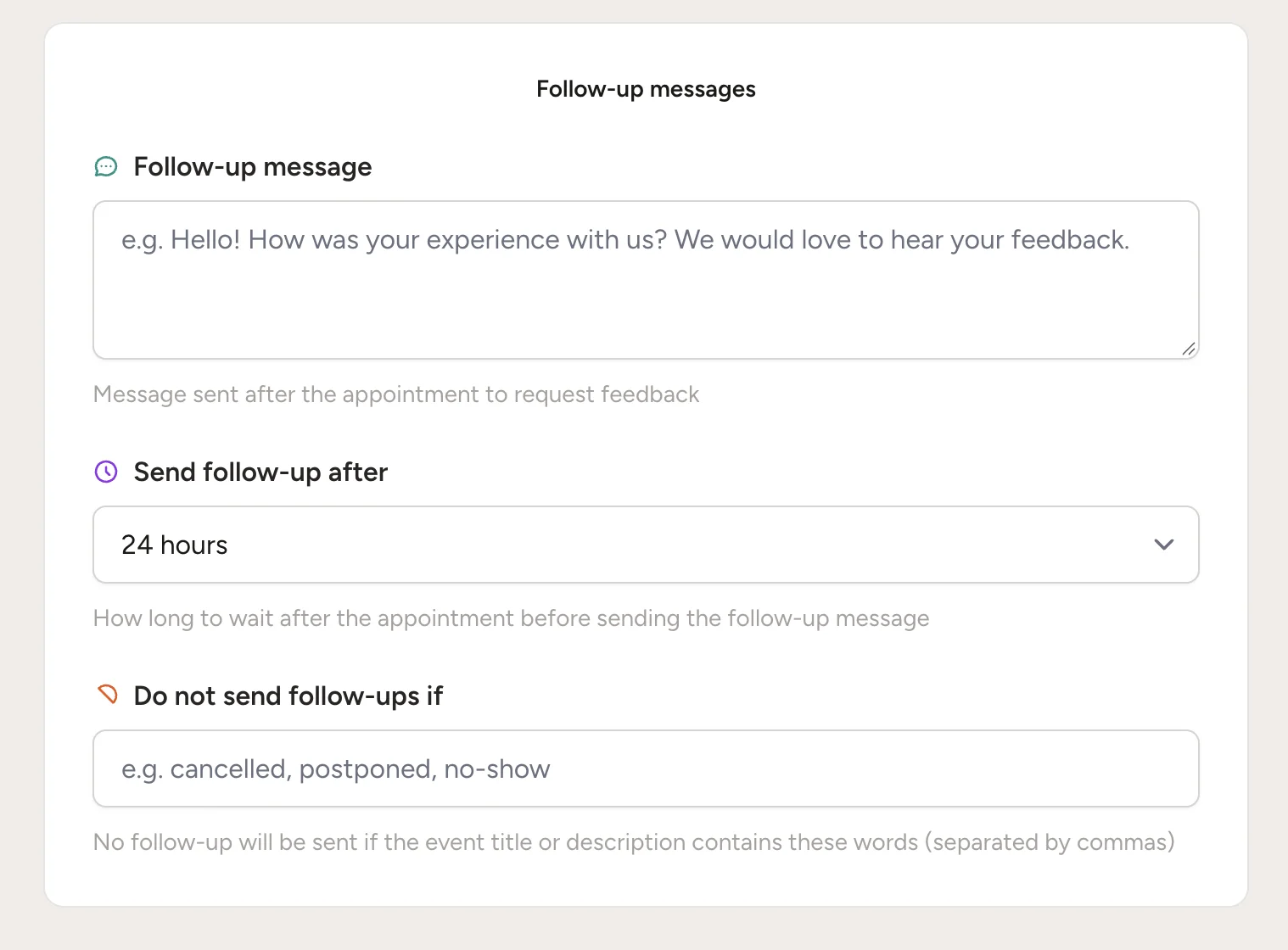
Follow-ups
Ask for a review after the visit, automatically
Configure a follow-up message to request feedback or a Google review after the appointment.
Set it once and it runs after every appointment, so reviews build up without you asking each client.
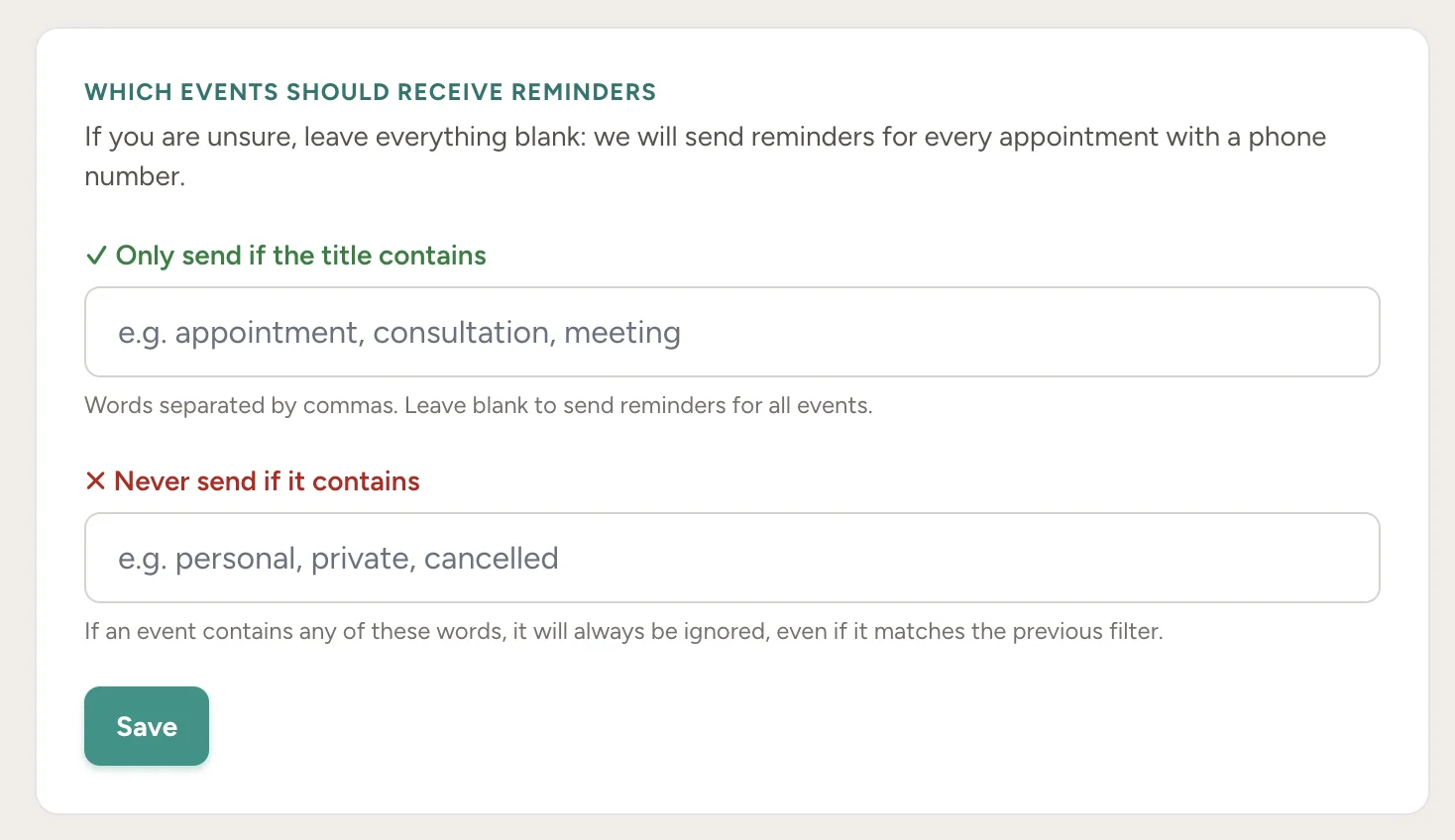
Sending rules
Only the right events trigger a reminder
Set simple rules: send only for events containing words like "client" or "appointment", and skip events marked "private".
Your own dentist appointment stays in your calendar and off the reminder list.
WhatsApp Web extension
Set a reminder without leaving WhatsApp Web
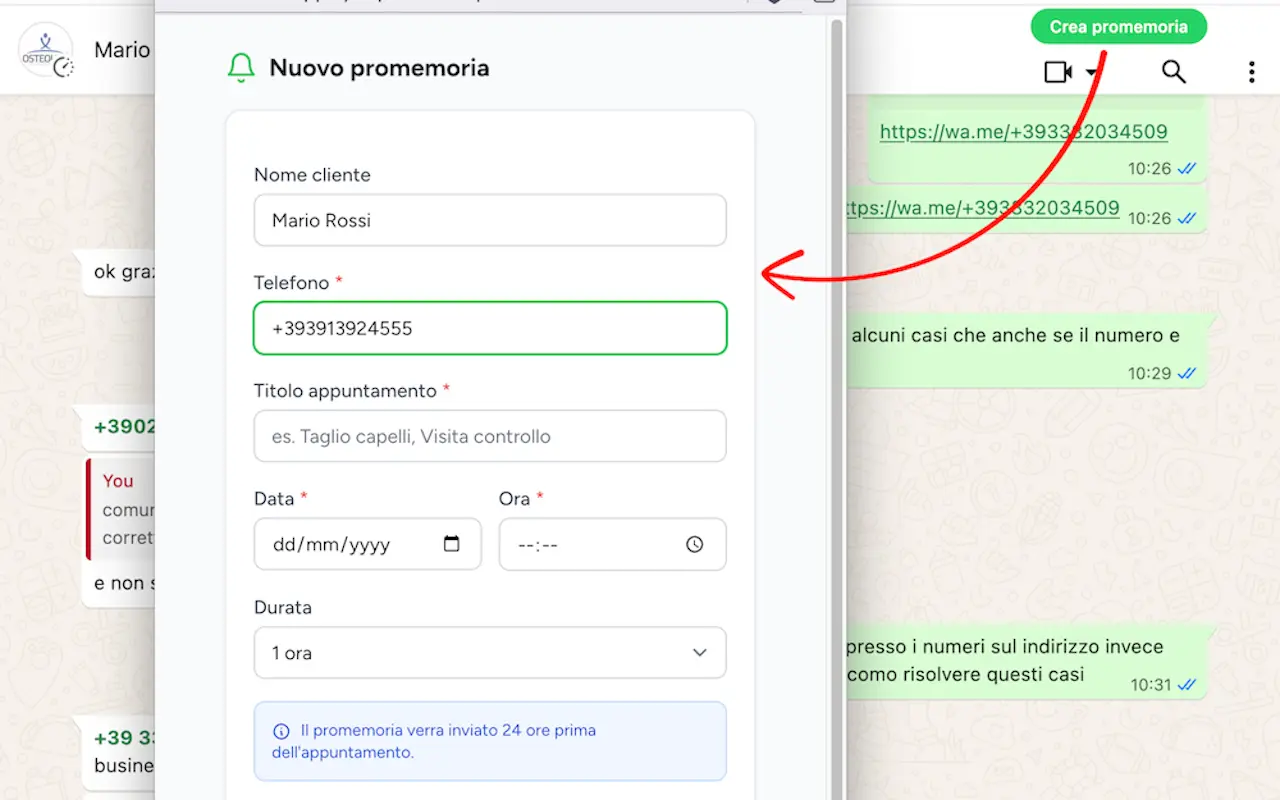
Chatting with a client? The extension, currently listed as RicordamiApp, adds a button right in the conversation.
It fills in the contact's name and number. You pick a date and time. Works with Chrome, Edge, Brave and Opera.
Keep track of replies and delivery
Confirmations and cancellations update the appointment status. Other replies can be forwarded to your email, attachments included. If WhatsApp can't deliver, the reminder can go out as an SMS instead.
Ask about delivery in your country