Create your first WhatsApp appointment reminder
You don't need tech skills or a long onboarding. Add your appointments, choose the message your clients will receive, and send a test to your own phone.
The whole flow, at a glance
Bring in your appointments
Choose your reminder message
Add the client’s phone number
Send a test to yourself
Want clients to book themselves? Follow the online booking setup guide.
Bring in your appointments
Three ways to load your appointments. Use whichever fits your day.
Option A: Connect Google Calendar
- 1Click "Connect my calendar" in your dashboard
- 2Authorise RecordarApp to read your calendar
- 3Pick the calendar with your client appointments
Your data stays safe. RecordarApp only reads your calendar to find appointments. Writing online bookings back to Google Calendar is a separate permission that you turn on yourself.
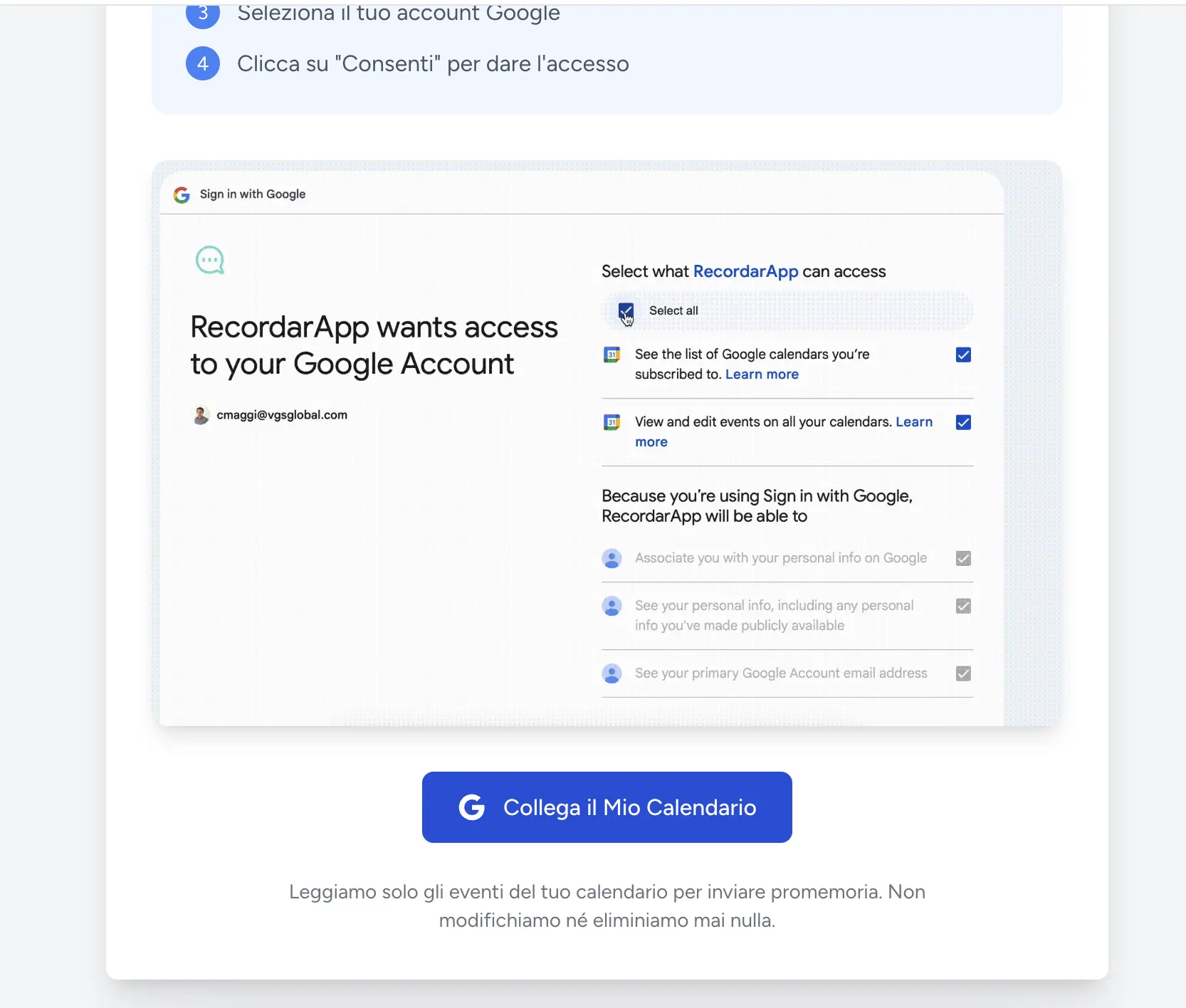
Connecting Google Calendar
Option B: Add them in the app
No calendar needed. Add each appointment from the dashboard with the client's name, phone, date and time. It's the fastest way to start, with nothing to set up.
Option C: Let clients book online
Set your working hours, services and booking rules, then share your booking page. Clients choose a free time and enter their details. The appointment appears in your schedule and uses the reminder settings you choose.
Set up your online booking page →Option D: Import from Excel (Team and Business)
Have your appointments in a spreadsheet? Upload an Excel or CSV with name, phone, date and time. RecordarApp schedules every reminder for you.
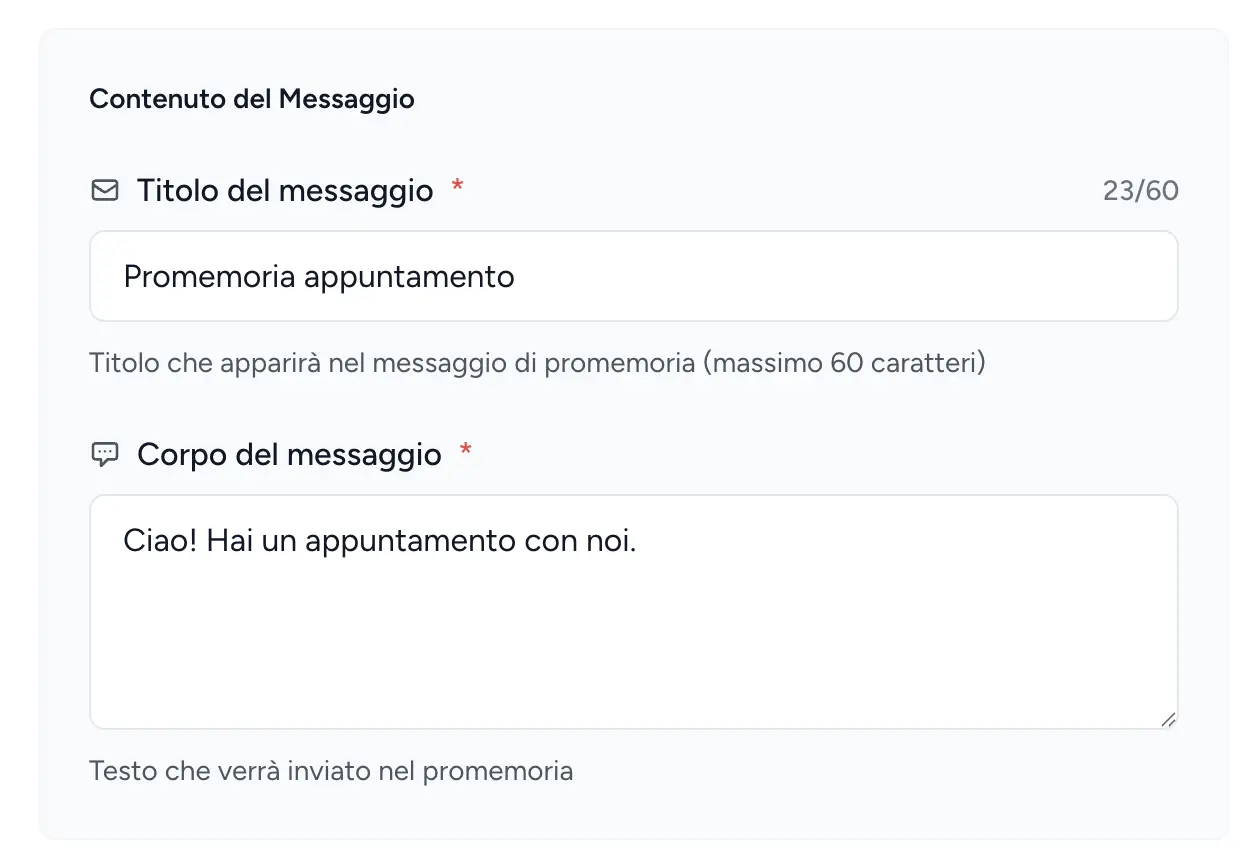
Choose your reminder message
Decide whether you need a confirmation, then set the wording.
Simple reminder
A heads-up, no reply needed. Use it for regulars and quick services.
Confirmation request
The client gets confirm/cancel buttons in WhatsApp. Their reply lands in your dashboard, so you can fill cancelled slots in time.
Make it yours
Add directions, what to bring, or a deposit note. Anything your clients need before the appointment.
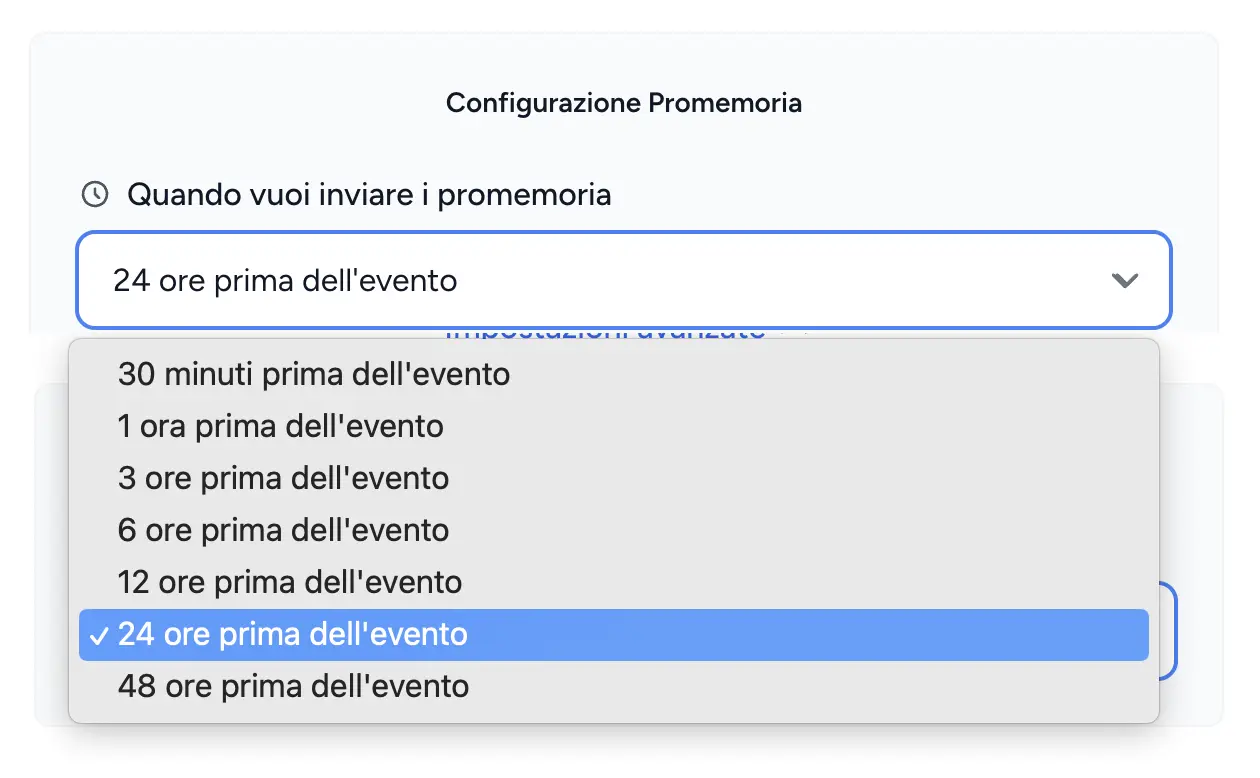
Choose when it goes out
24 hours before, 2 hours before, or both. Set it per appointment type.
Add the client's phone number
In RecordarApp
Enter the client's number in the appointment form, including the international country code. Online bookings collect the number from the client.
In Google Calendar
Add the number to the event title or description. Check that the calendar is connected and your sending rules include this event.
See the Google Calendar workflow →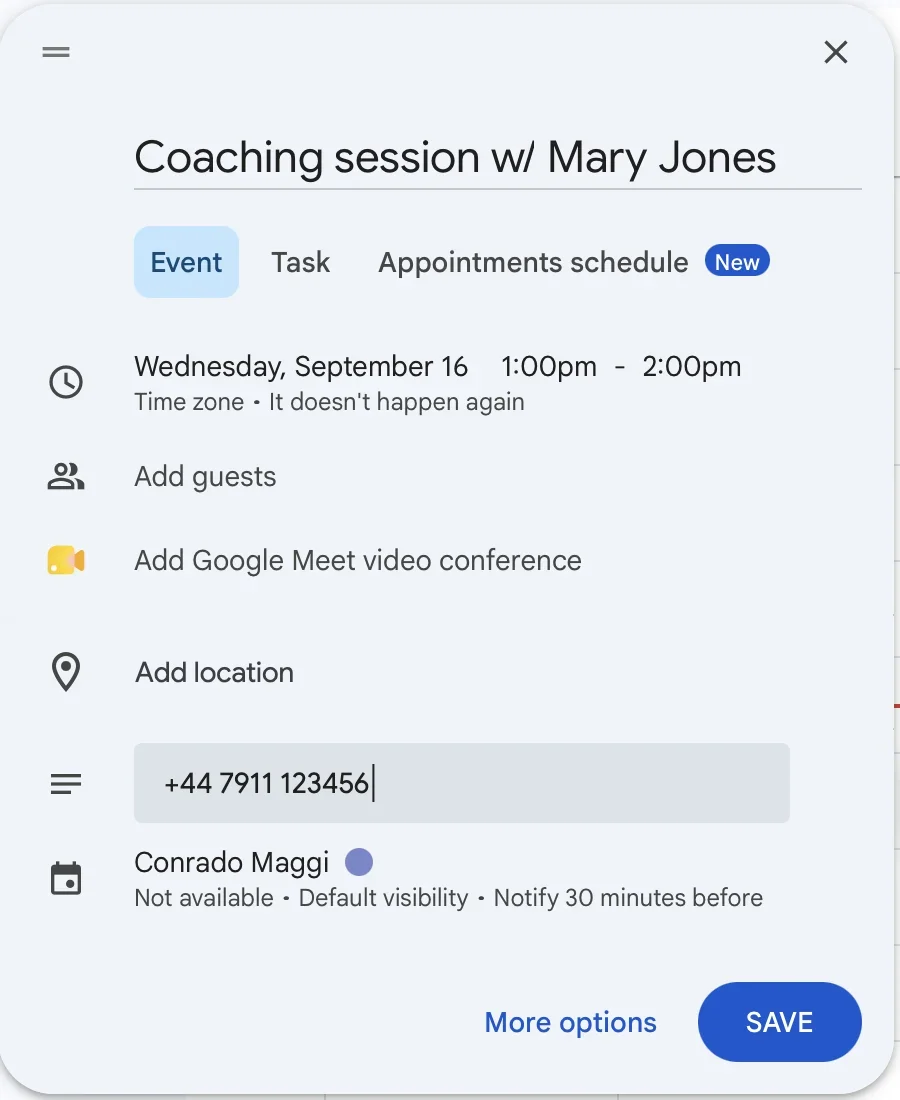
Send a test to your own phone
See exactly what your clients will get before you go live.
- 1Create a test appointment for tomorrow with your own number
- 2Give it a minute to sync
- 3Check that it shows in your dashboard
- 4Get the WhatsApp reminder at the scheduled time
Next steps
Fine-tune your sending rules
Include only the events that need a reminder and exclude personal appointments. Test a matching and a non-matching event before relying on a rule.
Add a follow-up
Choose when to send a message after the visit, such as a feedback request or Google review link. Follow-up messages count towards your reminder allowance.
Review replies and delivery
Check sent reminders, confirmations and cancellations in the dashboard. Other client replies can be forwarded to your email.
Create reminders from a conversation
Use the WhatsApp Web extension while arranging an appointment. Its store listing currently uses the RicordamiApp name.
Read the extension guide →That's it. You're live 🎉
From now on RecordarApp sends the reminder for every appointment that matches your rules. Check the delivery status of that first test before you load the rest.