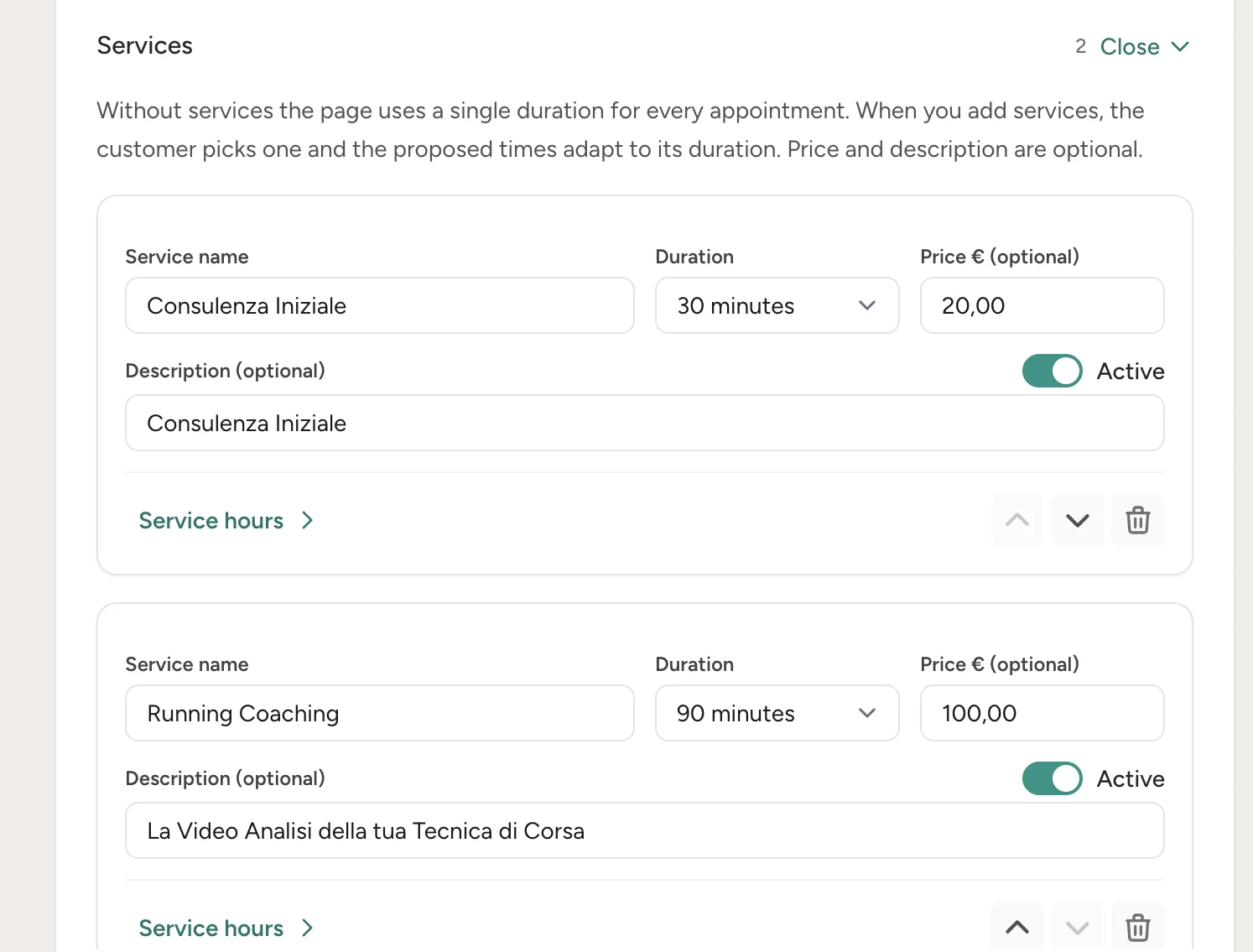
Services
A duration for each service
Give each service a name, duration, price and description. The free times on the page change to match the service the client picks.
Share one link. Clients see when you're free and book themselves, without a single phone call or app to install.
Before the appointment, RecordarApp sends the reminder over WhatsApp. If a client cancels, the slot opens back up on its own.
Create your booking page14-day free trial · No credit card
Your own link
Your logo and colours
Synced with Google Calendar
"Are you free on Thursday at 3?"
"Thursday does not work. What about Friday?"
"Friday is full. Would Saturday morning work?"
"I will let you know…"
Every booking is a back and forth while you're mid-appointment with someone else. And once you finally agree on a time, you still have to remind them.
You send a link. The client sees only the times you're actually free, picks one, and leaves their name and phone. You keep working.
The WhatsApp reminder goes out on its own before the appointment
Need to reschedule or cancel? The client does it from the link in the message
Every booking lands in your calendar next to the appointments you add yourself
How it works
Step 1 · Your page
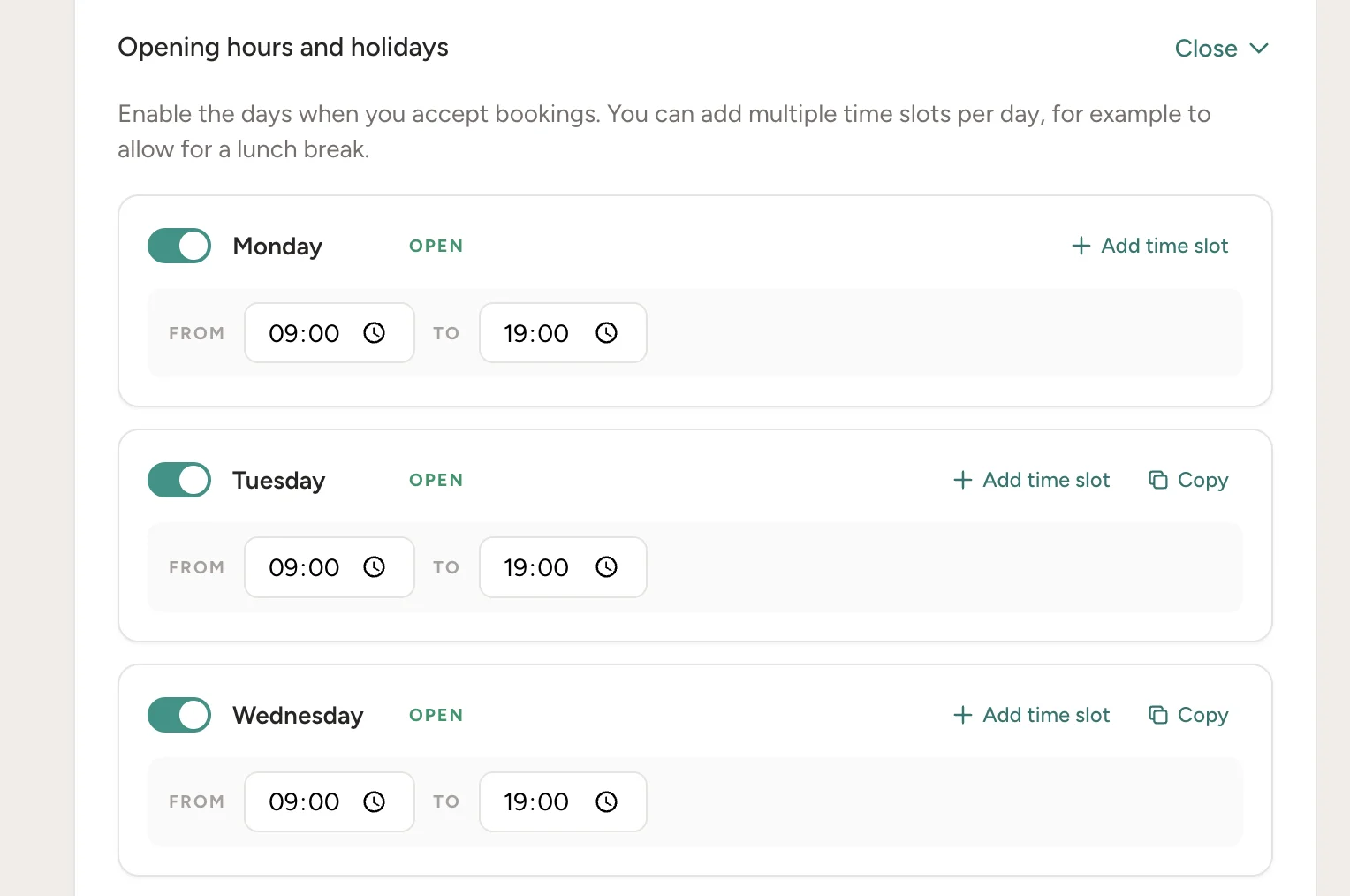
Set the days and hours you take bookings, lunch breaks and split shifts included, and mark your closures. Choose how long an appointment lasts and how often to offer a slot.
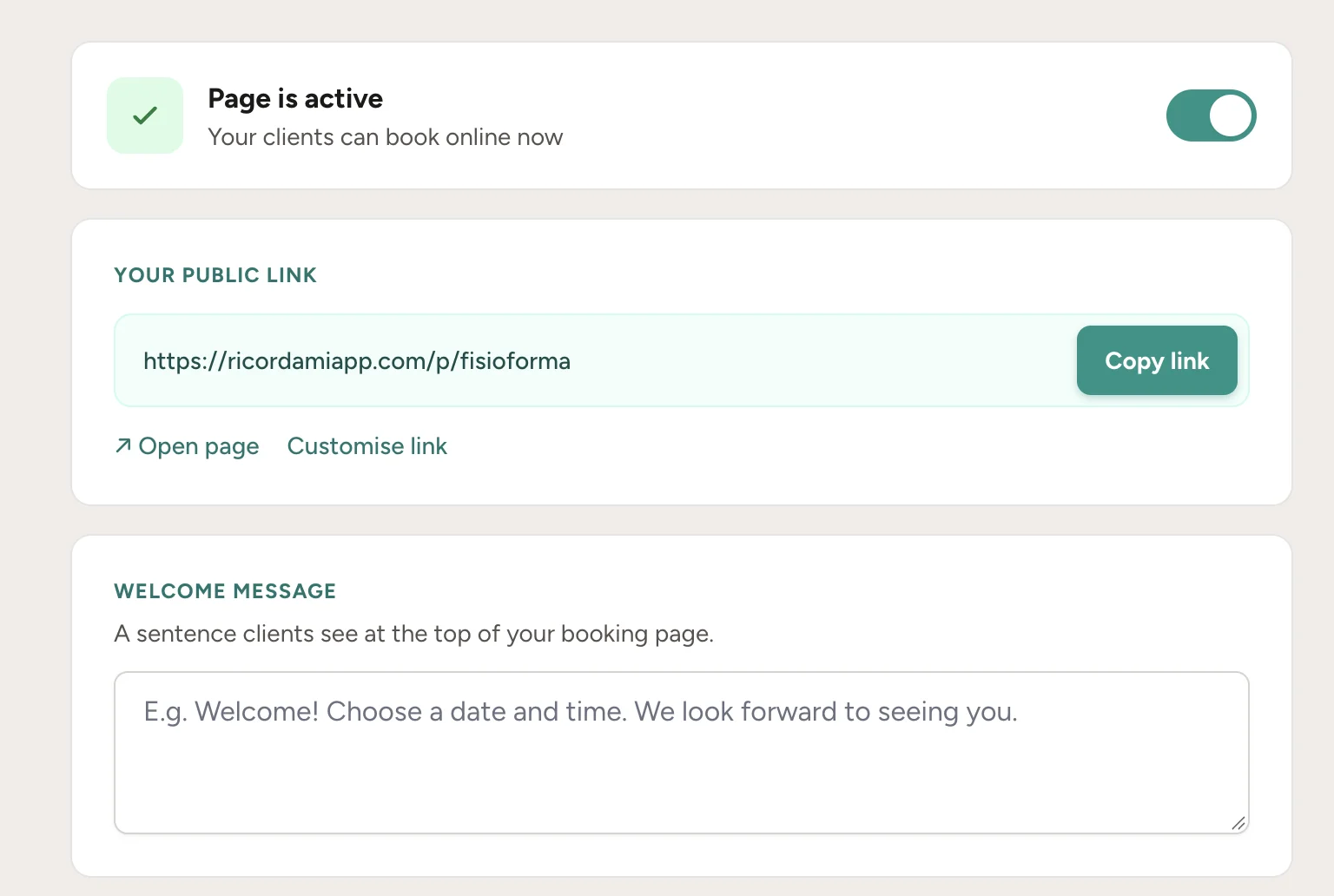
Add your logo, your colour and a welcome line. You get a page that looks like your business, on a link of your own, like recordarapp.com/p/bright-studio
Step 2 · The link
Instagram bio, your website, your Google profile, or straight over WhatsApp to whoever asks for an appointment.
It's always the same link, so clients keep it for next time too.
Step 3 · The booking
They open the link, see only the free days and times, pick one and leave their name and phone. No sign-up and nothing to download; it works right in the phone's browser.
The booking lands in your calendar right away and that slot stops being offered. You don't touch a thing.
Bright Studio
Book your appointment
Thursday, 23 July
Step 4 · WhatsApp does the rest
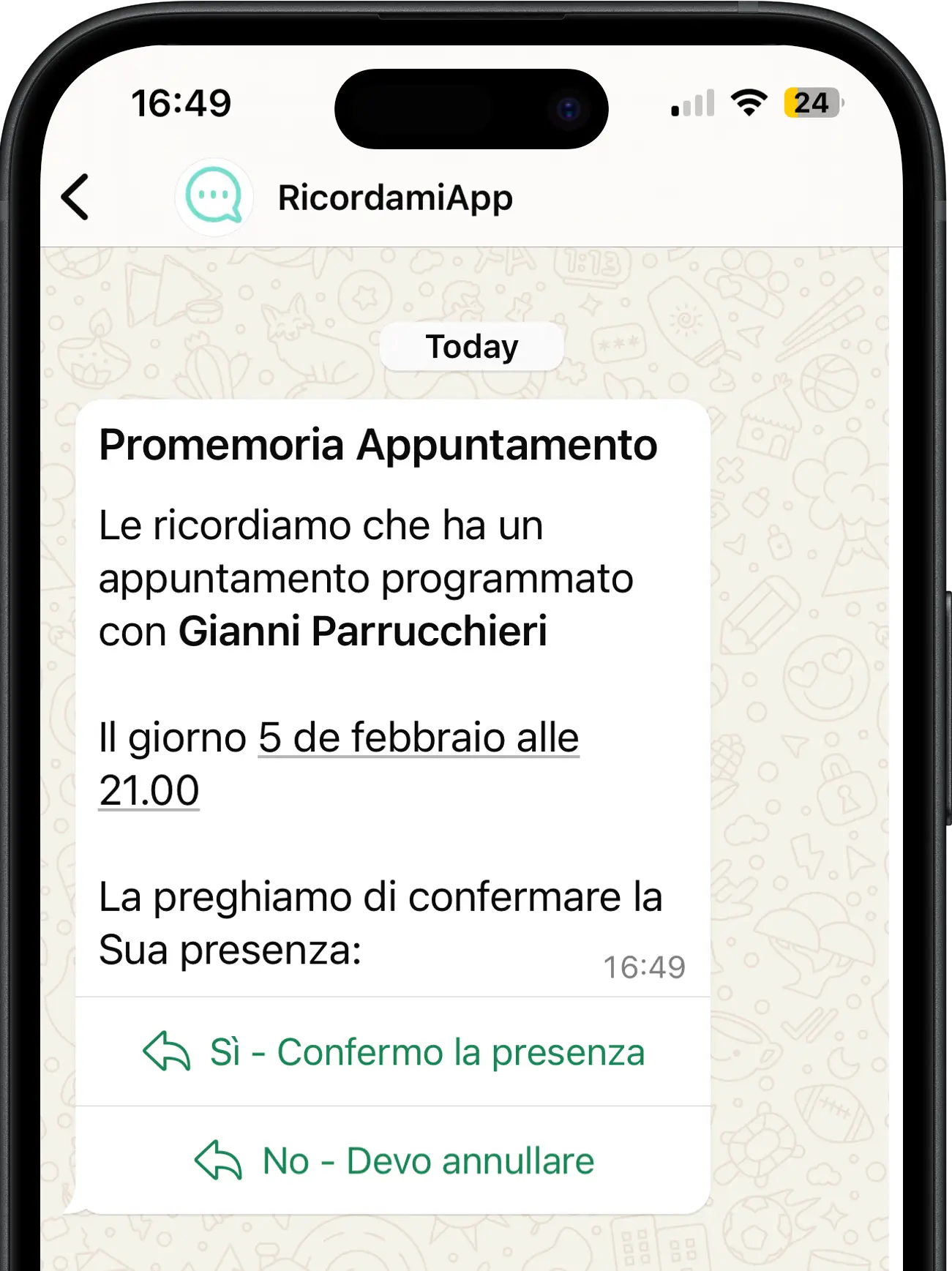
Before the appointment, the client gets the automatic WhatsApp reminder with the date, time and your business name. It's the same reminder RecordarApp sends for appointments you create yourself. Use our suggested text or write your own.
The message also carries a link to reschedule or cancel. If the client cancels, the slot goes back to bookable.
One page, different appointments
A 20-minute check-up and a 90-minute treatment don't need the same slots. Set durations, questions and hours once and clients only see what fits.
Services
Give each service a name, duration, price and description. The free times on the page change to match the service the client picks.
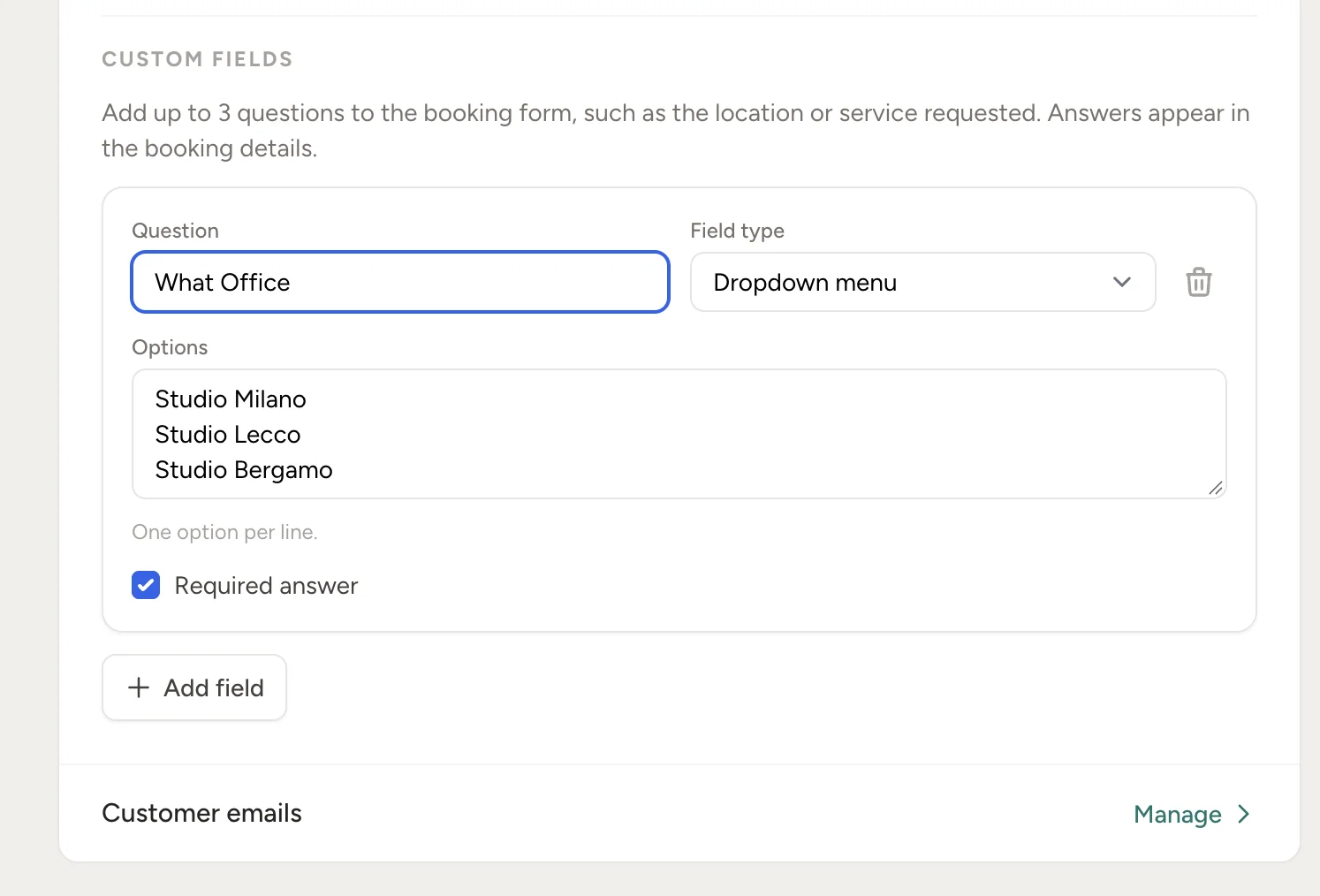
Custom questions
Add up to three text or dropdown questions, optional or required. Responses stay in the booking details.
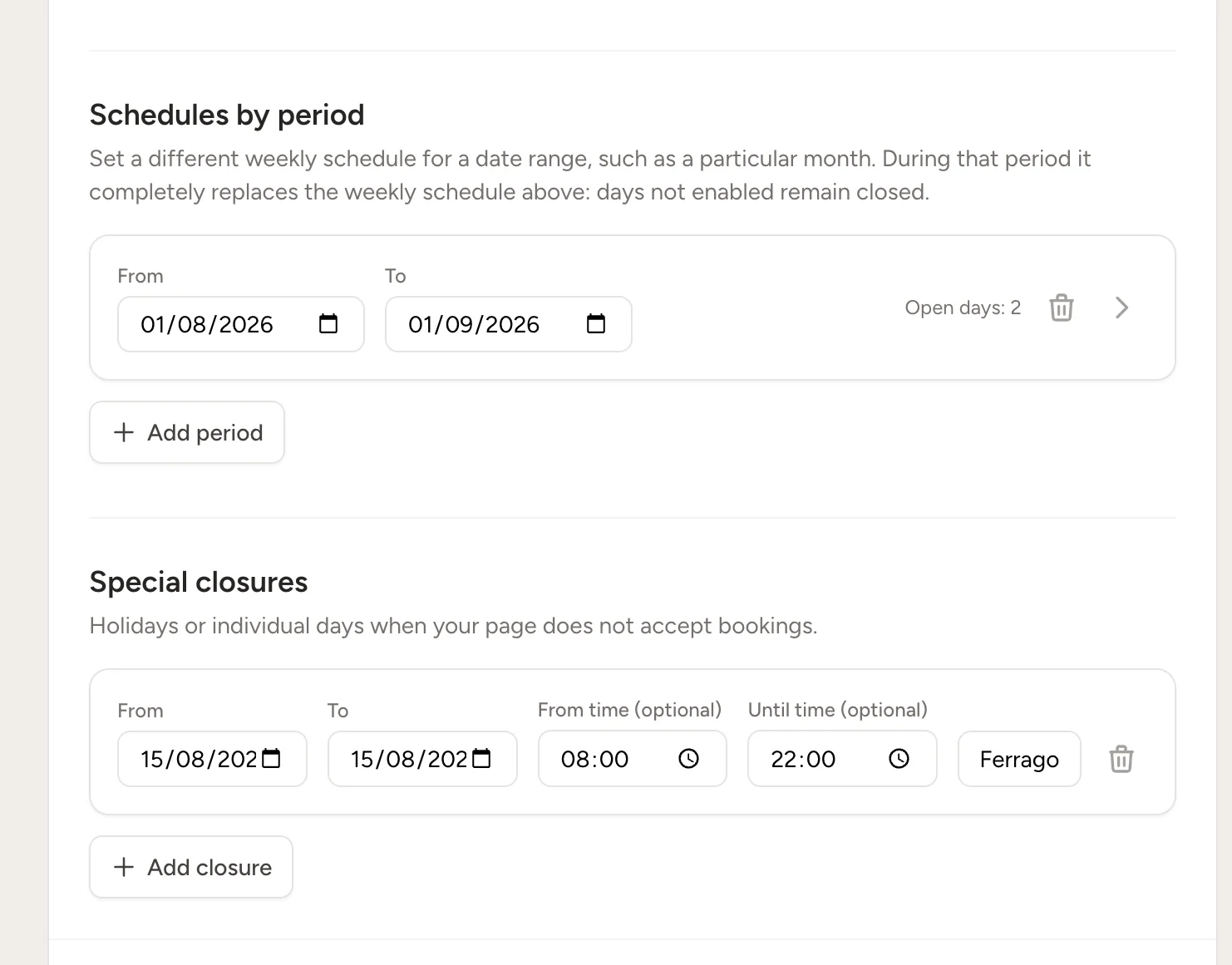
Seasonal availability
Set a weekly schedule for a date range. During that period it replaces your usual schedule, and days left disabled remain closed.
Your schedule, your rules
You decide how, when and how much can be booked. It's all in your page settings.
Auto-confirm or approve by hand
Want a look first? Turn on approval: you get an email for every request and the booking only enters your schedule once you say yes.
Cancellations within your limits
Clients can cancel or reschedule, but only up to a set number of hours before (1 to 72), or never. Choose the deadline that fits your business.
A breather between appointments
Need time to tidy up or travel? Add a buffer after each appointment and the page won't offer back-to-back slots.
How far ahead clients can book
From 1 to 365 days. Avoid the last-minute bookings you can't handle and the ones for next year.
More than one client per slot
See several people at once? Set how many appointments can overlap; the page stops offering the slot once it's full.
The hours you actually work
Split shifts, a lunch break, closed Thursday afternoons, two weeks off in August: the page only shows when you're actually there.
Google Calendar
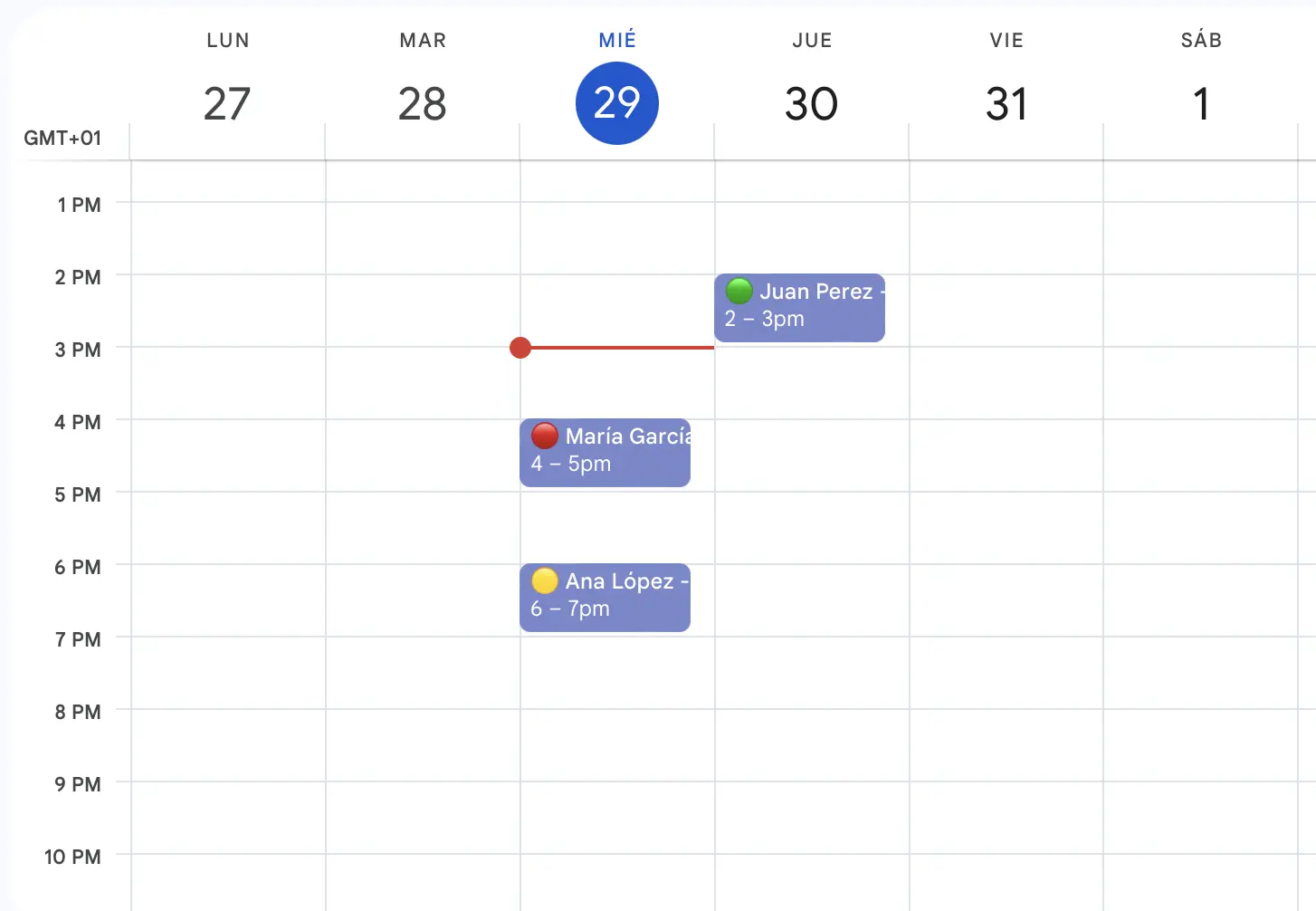
Online bookings can show up on your Google Calendar too, so you keep checking your day where you always have.
It works both ways: whatever's on your Google Calendar blocks those times on the booking page. No one can book while you're at lunch.
And the appointments you take by phone or in person? Keep creating them like before, and the WhatsApp reminders go out for everyone, booked online or not.
Create the page, set your hours, share the link. The WhatsApp reminders are already included.
No credit card
Open your link, pick a free day and time, and leave a name and phone (you can ask for email too). No app, no account. Before the appointment they get the WhatsApp reminder with all the details and a link to manage the booking.
Yes, day by day. Set your hours (split shifts included), the length of an appointment, the break between them, and how far ahead clients can book (1 to 365 days). One-off closures like holidays get a start and end date and disappear from the page.
Yes, from the link in the WhatsApp reminder, within the limits you set: always, up to a set number of hours before, or never. When they cancel, the slot goes back to bookable right away.
No. With manual approval, every request reaches you by email and waits until you confirm. Only then does it enter your schedule and the reminder go out. Prefer hands-off? Leave auto-confirm on.
The booking page is part of RecordarApp. Start with the free trial, no card: build the page, share it, and see it work with your real clients before you decide.
Yes. Busy events can block slots on your booking page, and new bookings can sync back to your connected calendar.
Choose RecordarApp if you need appointment scheduling and reminders. If you also need clinical records, inventory or other specialist workflows, check whether a dedicated management system fits those needs.
RecordarApp offers a 14-day free trial without a credit card. A paid plan is needed afterwards; see pricing for the current message allowances and features.