Give patients a timely reminder and free your reception team from repetitive calls.
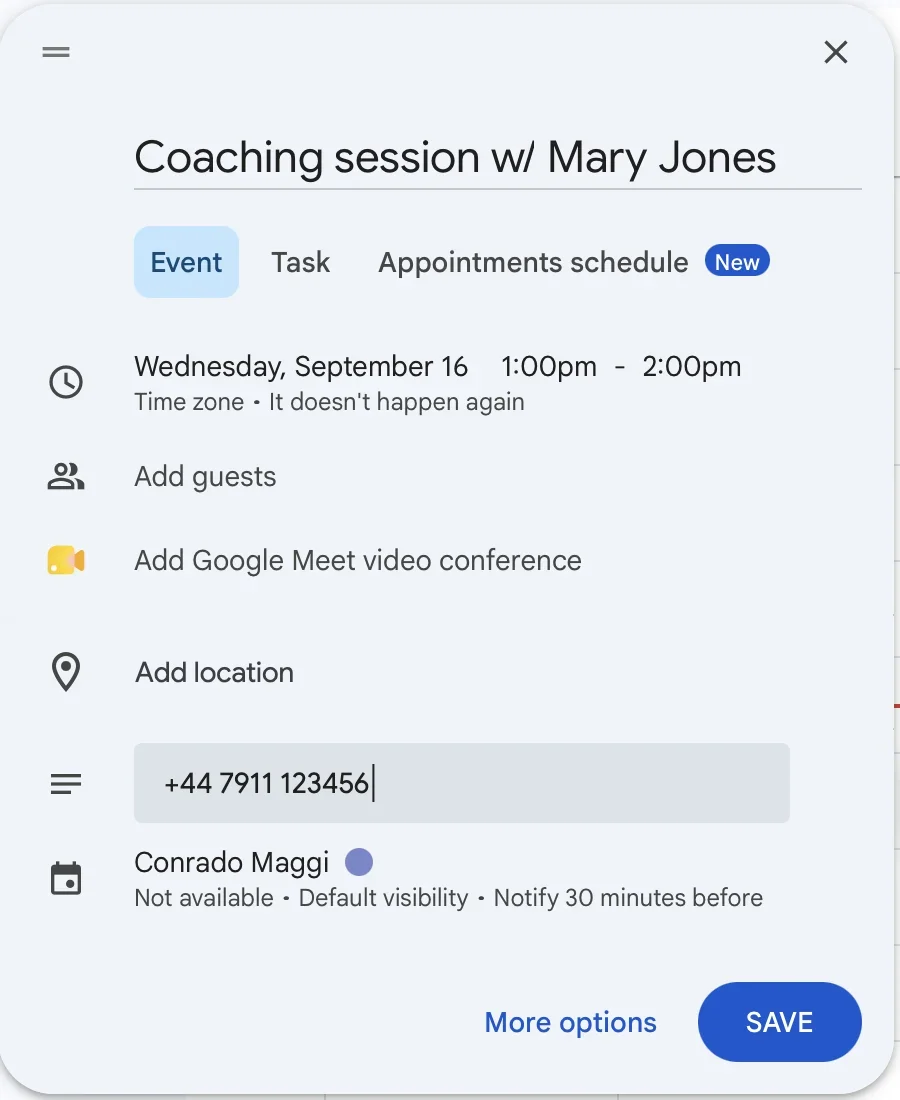
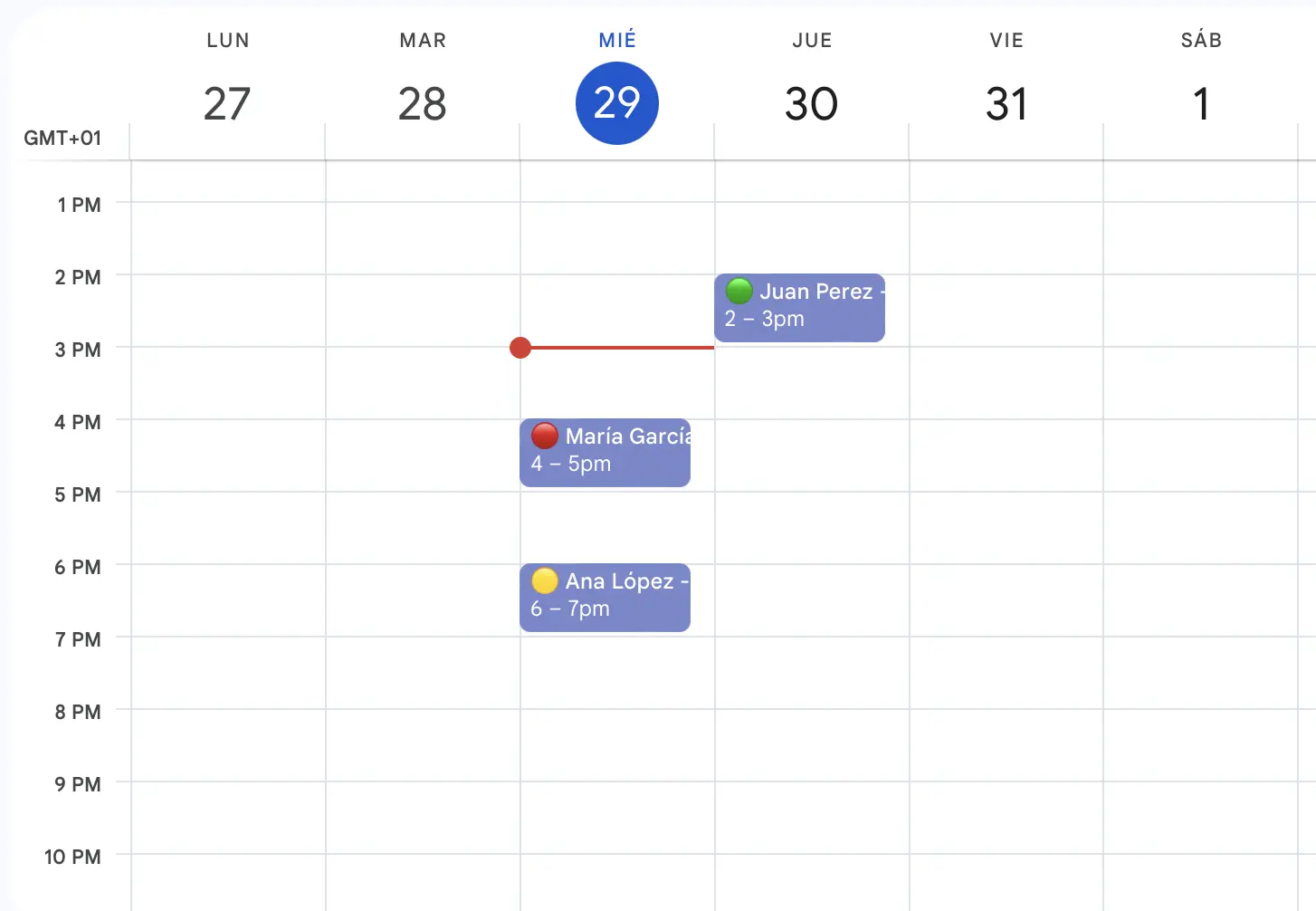
Connect Google Calendar, add appointments in the app, or let clients book online. Choose your reminder message and timing once.
Start free trialA busy practice puts time into arranging every visit. When a patient forgets or cancels late, reception has to reorganise the schedule with little notice.
Manually calling or messaging every patient adds repetitive work to the day.
Missed appointments leave time and resources unused.
Late changes make it harder to organise the remaining appointments.
Send a reminder before each appointment. Connect your calendar or add bookings in the app, then let patients confirm or cancel from the message.
Spend less time writing the same reminder for every appointment.
Give patients time to remember their visit and respond.
See appointment statuses update when patients confirm or cancel.
Automatic WhatsApp reminders in three steps
Connect Google Calendar, add appointments in the app or import Excel/CSV on Team and Business. RecordarApp sends reminders and tracks confirmation responses.
Add your appointments
Connect Google Calendar or create the appointment in RecordarApp. Add the recipient’s international phone number and check the date, time and timezone. Team and Business also support Excel/CSV import.
Automatic WhatsApp reminders
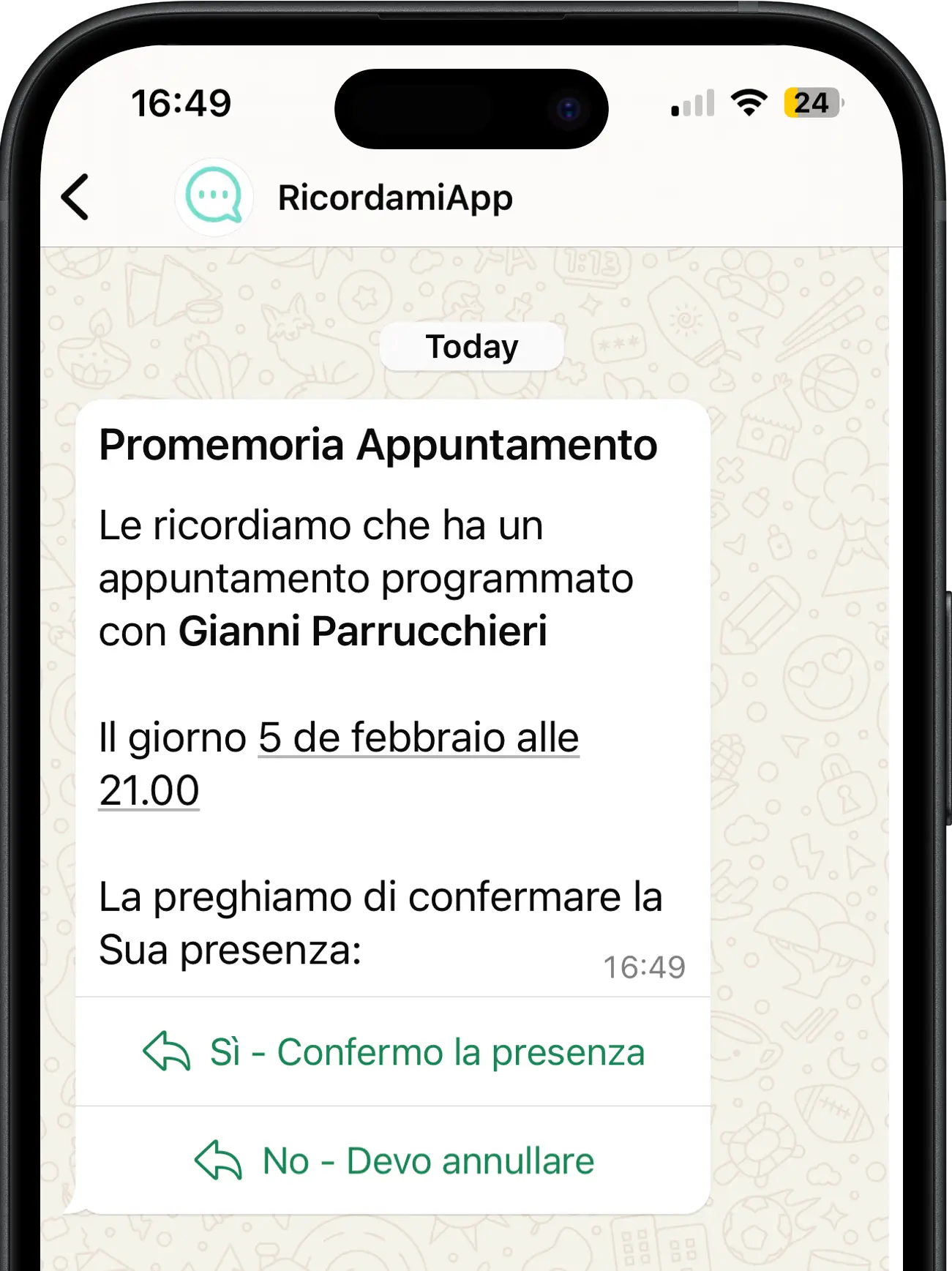
Choose when the reminder goes out, such as 24 hours before the appointment. The message includes your business name and appointment details.
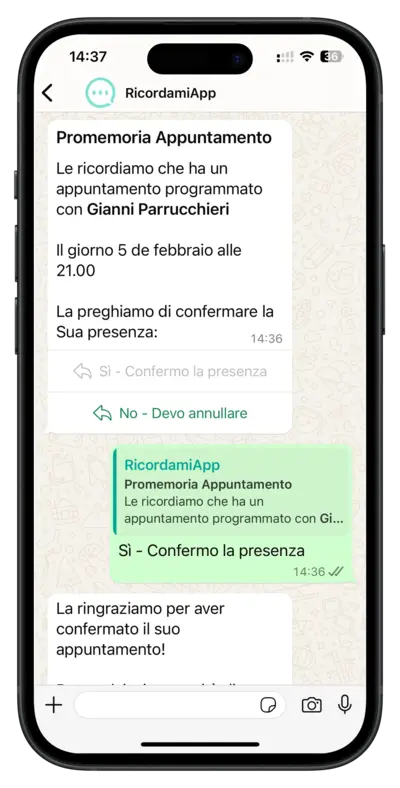
When you request confirmation, the recipient can confirm or cancel using the buttons in the WhatsApp message.
Uses the official WhatsApp Business API
Track the responses
RecordarApp updates the appointment status based on confirmation and cancellation responses.
Reminder sent
The reminder has been sent and you are waiting for a response.
Appointment confirmed
The recipient has confirmed the appointment.
Appointment cancelled
The recipient has cancelled. Check the available slot in your schedule.
Try RecordarApp free for 14 days. Add a test appointment and see the reminder on your own phone. No credit card required.
No. RecordarApp handles booking and reminders. It does not replace clinical records, prescribing, or a practice management system.
No. They receive the reminder in WhatsApp, and your booking page opens in their browser.
No. You can add appointments directly in RecordarApp. Google Calendar is optional, and spreadsheet import is available on Team and Business.