WhatsApp appointment reminders for veterinary practices

Remind pet owners before their visit and give reception a clear view of confirmations and cancellations.

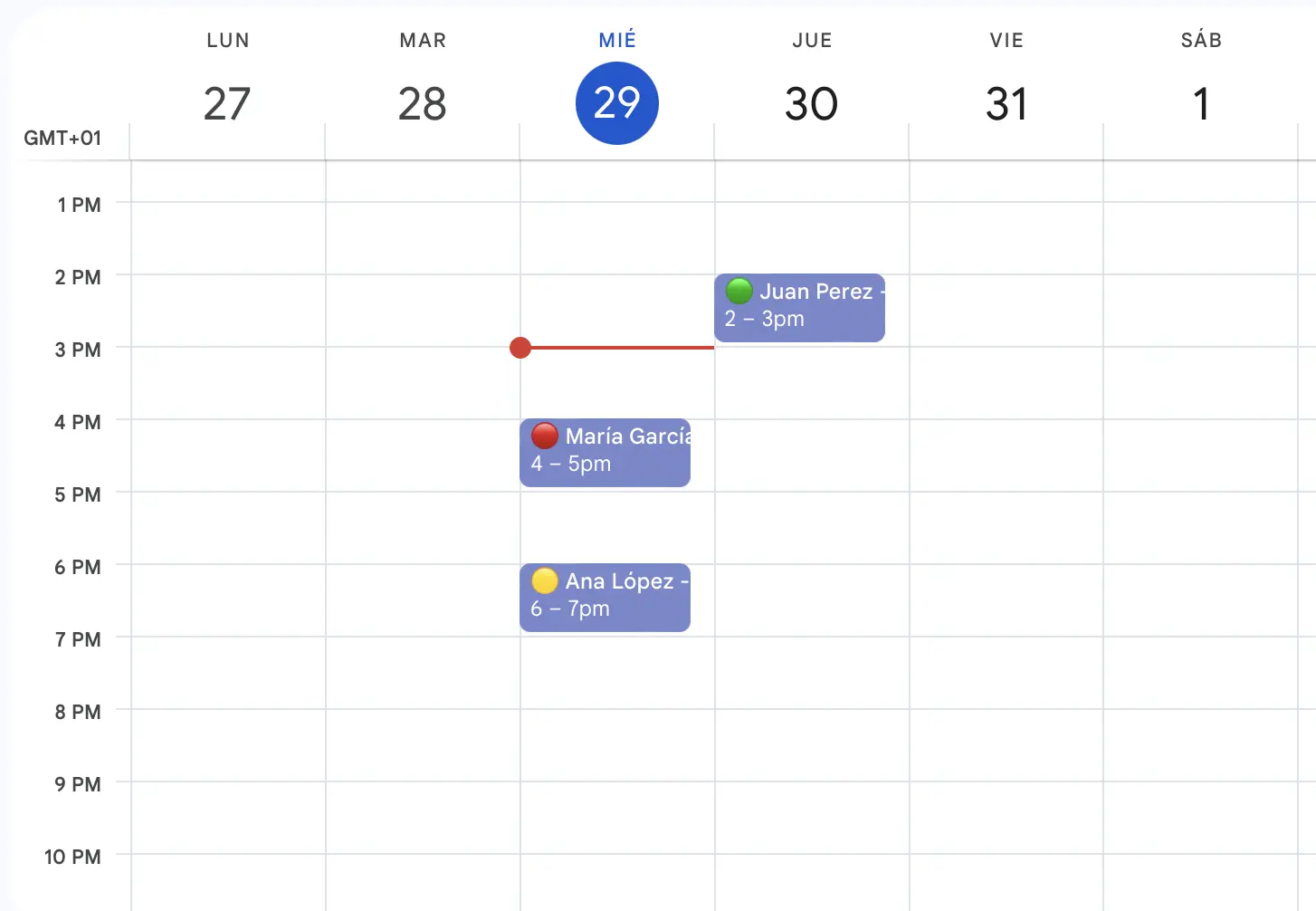
Connect Google Calendar, add appointments in the app, or let clients book online. Choose your reminder message and timing once.

Start free trial
Google Calendar

Add appointments in-app

Online booking page

Import Excel/CSV(Team and Business)

Is reception chasing pet owners to confirm their visits?

The problem: appointments that fall through

Forgotten visits and late cancellations disrupt the clinic's day. Reception has to reorganise appointments while helping owners and supporting the clinical team.

Manually calling or messaging every client adds repetitive work to the day.

Missed appointments leave time and resources unused.

Late changes make it harder to organise the remaining appointments.

The solution: automatic WhatsApp reminders

Send a reminder before each appointment. Connect your calendar or add bookings in the app, then let pet owners confirm or cancel from the message.

Spend less time writing the same reminder for every appointment.

Give pet owners time to remember their visit and respond.

See appointment statuses update when pet owners confirm or cancel.

For veterinary practices

A reminder workflow that fits your business

Use automatic reminders for the appointments and follow-ups your team already manages.

Keep the clinic's day organised

Send reminders automatically so reception can focus on appointments that need attention.

  • Help owners remember the time reserved for their pet.

  • See cancellations and use the available slot where appropriate.

  • Plan veterinary and support staff around the appointment list.

Help owners arrive prepared

Include practical visit details and the general instructions supplied by your team.

  • Remind owners about agreed preparation without including unnecessary clinical details.

  • Mention records or documents the owner has been asked to bring.

  • Use clear wording with your practice name and the appointment time.

Keep planned follow-ups on the calendar

Use dates chosen by your veterinary team for future visits and scheduled check-ups.

  • Remind owners before their pet's next booked appointment.

  • Create dated reminders for planned follow-up visits.

  • Track confirmations for the appointments your team has arranged.

How it works

Automatic WhatsApp reminders in three steps

Connect Google Calendar, add appointments in the app or import Excel/CSV on Team and Business. RecordarApp sends reminders and tracks confirmation responses.

Add your appointments

Step 1: Add appointments your way

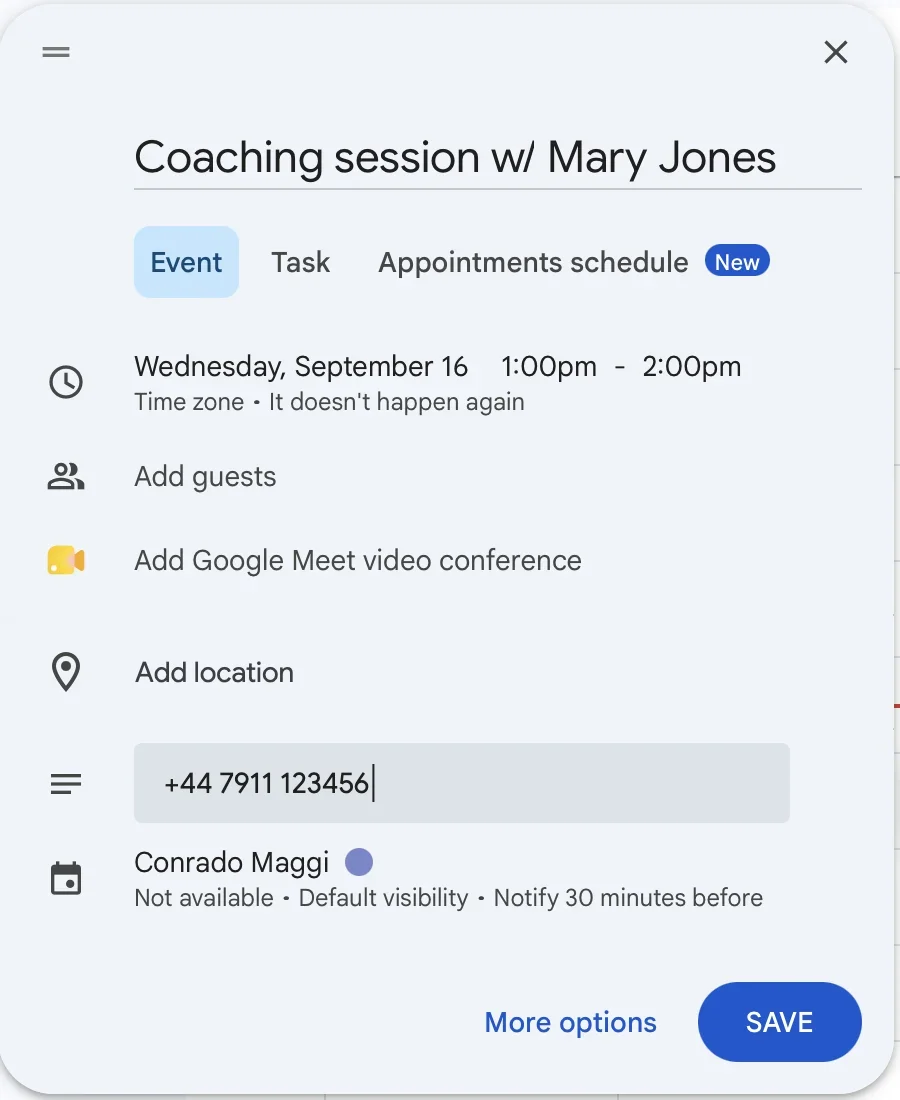
Connect Google Calendar or create the appointment in RecordarApp. Add the recipient’s international phone number and check the date, time and timezone. Team and Business also support Excel/CSV import.

Add a client number to an event
Add a client number to an event.
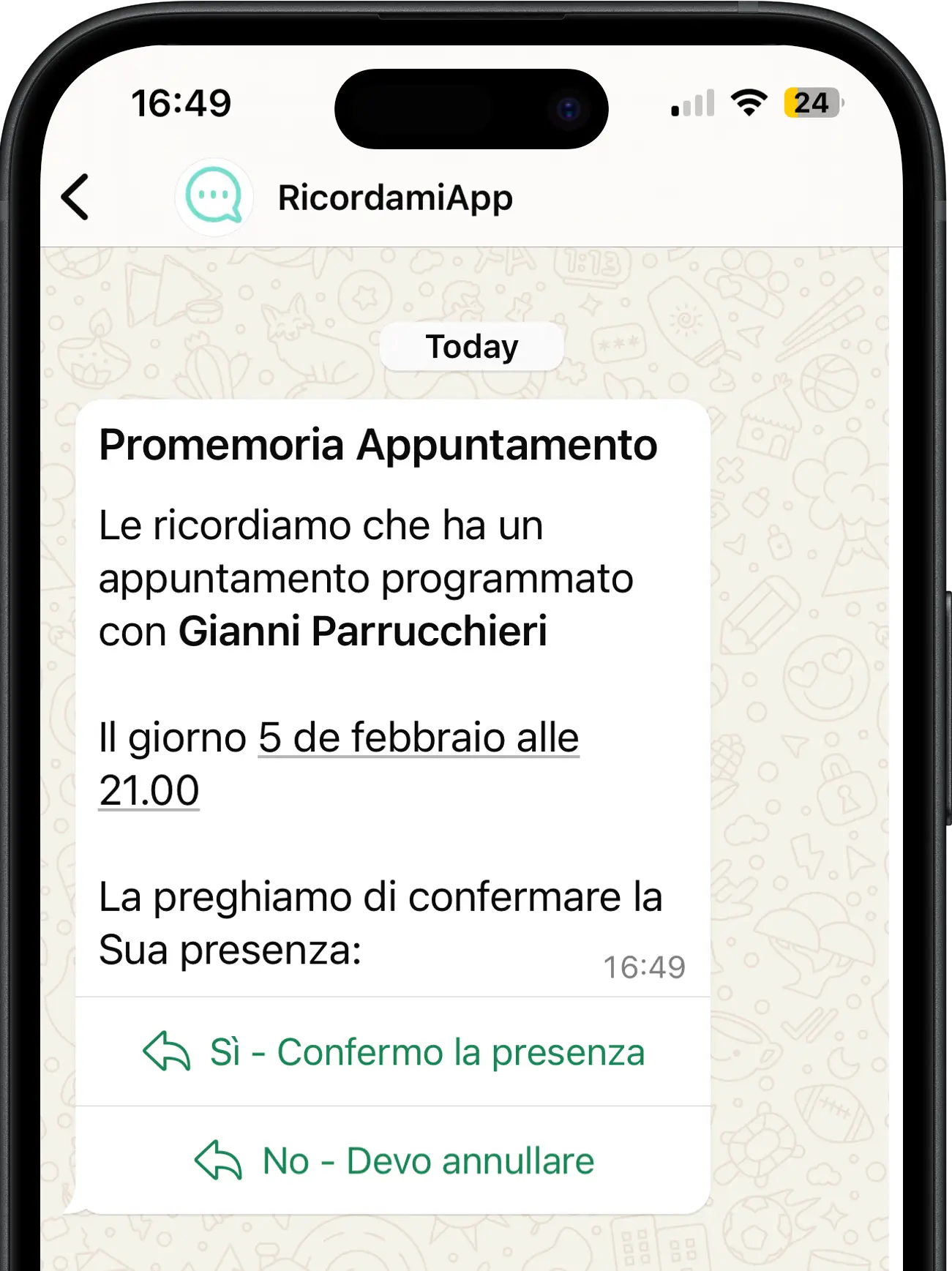
WhatsApp reminder — Italian interface
WhatsApp reminder. Product shown in Italian.

Automatic WhatsApp reminders

Step 2: RecordarApp sends the reminder

Choose when the reminder goes out, such as 24 hours before the appointment. The message includes your business name and appointment details.

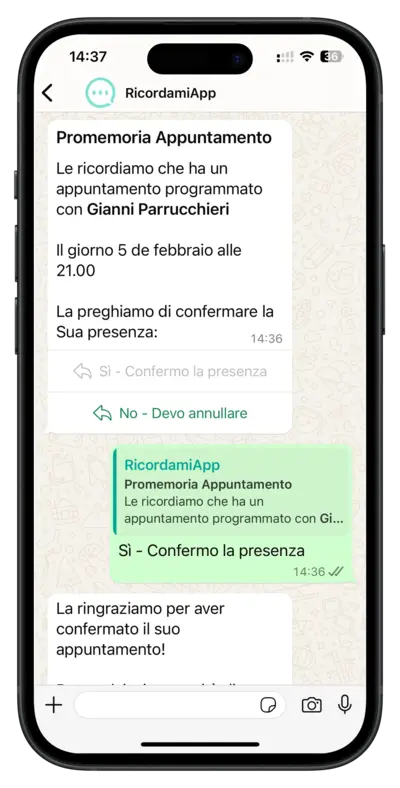
When you request confirmation, the recipient can confirm or cancel using the buttons in the WhatsApp message.

Uses the official WhatsApp Business API

Track the responses

Step 3: See who has confirmed or cancelled

RecordarApp updates the appointment status based on confirmation and cancellation responses.

🟡

Reminder sent

The reminder has been sent and you are waiting for a response.

🟢

Appointment confirmed

The recipient has confirmed the appointment.

🔴

Appointment cancelled

The recipient has cancelled. Check the available slot in your schedule.

Appointment status — Italian interface
Appointment status. Product shown in Italian.

See what your clients receive

Give reception more time for the owners in front of them

Try RecordarApp free for 14 days. Add a test appointment and see the reminder on your own phone. No credit card required.

Questions before you start

Is this an emergency or triage service?

No. Keep your existing emergency contact and triage process. RecordarApp handles routine appointment booking and reminders.

Do clients need another app?

No. They receive the reminder in WhatsApp, and your booking page opens in their browser.

Do I need Google Calendar?

No. You can add appointments directly in RecordarApp. Google Calendar is optional, and spreadsheet import is available on Team and Business.